
Knowledge base (product help center + AI support answers)
Write help articles grouped by product, publish them at /help for customers to search, and let AI support answer from them.
Answering the same question ten times a day? Write the answer once as an article. Customers can look it up themselves on your site, and if AI support is on, it answers from what you wrote instead of improvising.
The knowledge base is part of the Advanced plan.
Set it up step by step
Step 1: Create categories
In the left menu, go to Website → Knowledge base and open the Categories tab:
- Enter a category name (usually one per product, e.g. "Robot Vacuum R1") and a one-line description
- Click + Add category
Lower Sort numbers come first, and the sidebar on your site follows the same order. Categories without articles aren't shown.
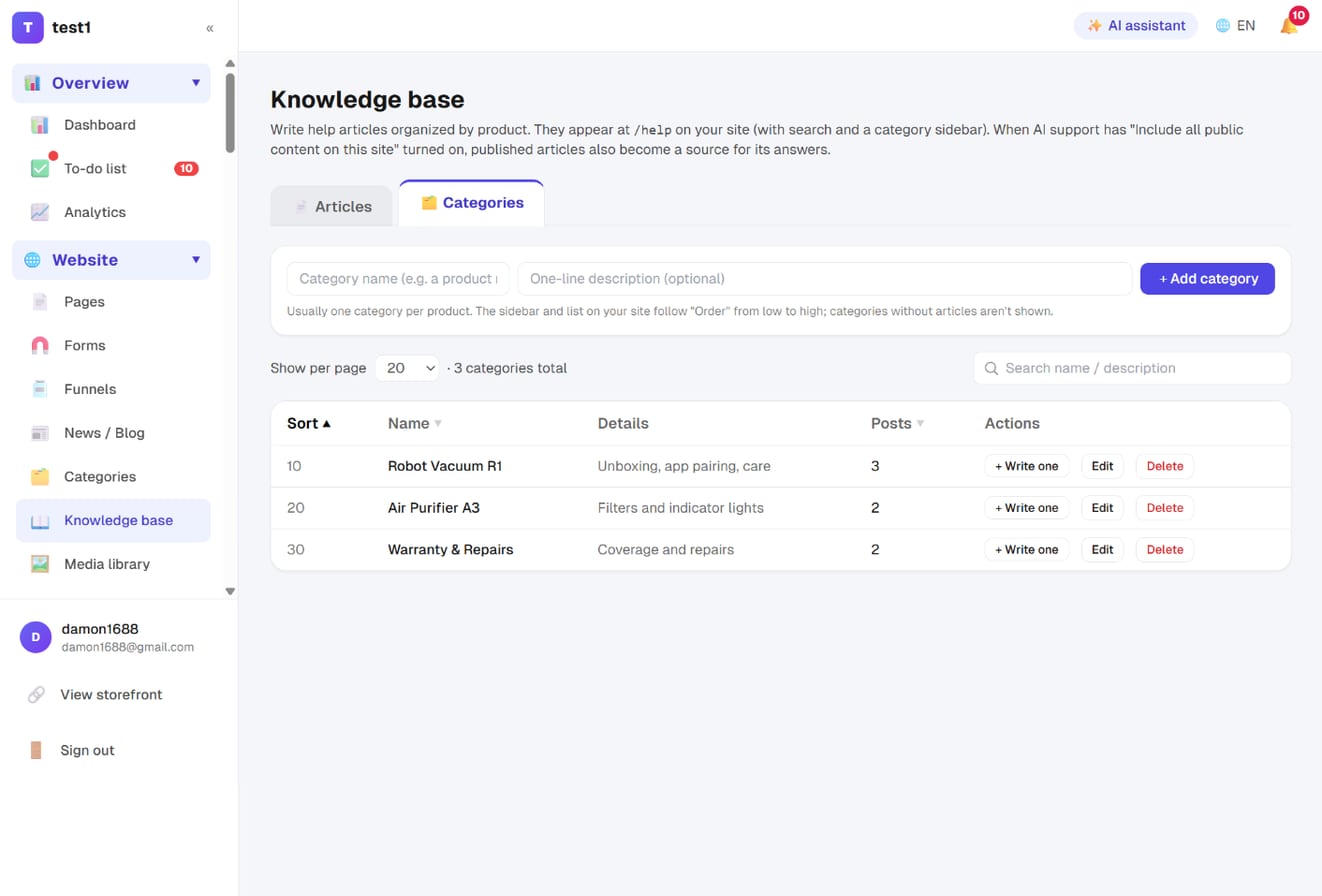
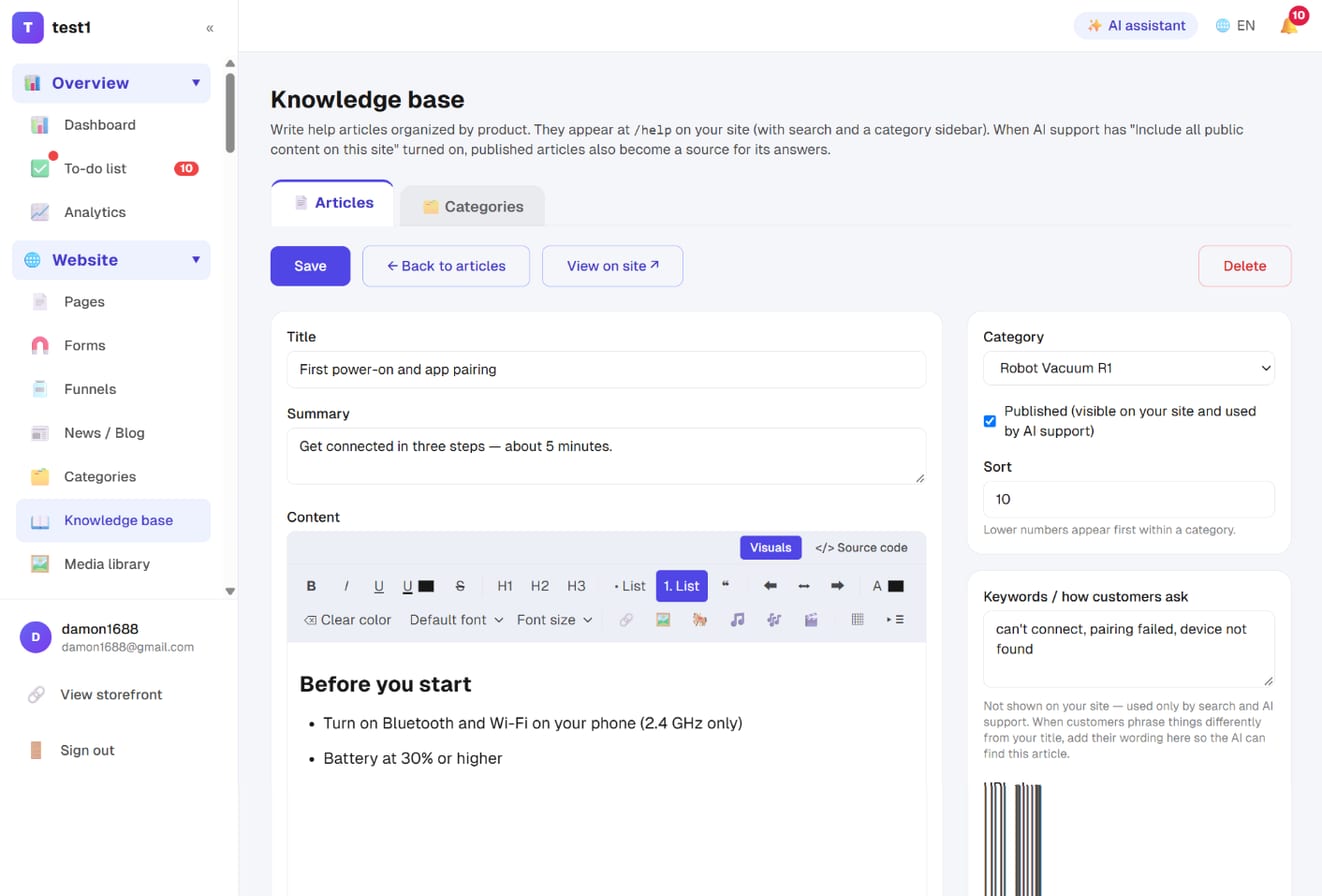
Step 2: Write an article
Click + Write one on a category row, or + New article on the Articles tab:
- Title and summary: keep the summary to a sentence or two — it shows in lists and search results
- Content: the same editor as the blog, with images, video and tables
- Category and Published: unpublished articles are drafts — hidden on your site and ignored by AI support
- Keywords / how customers ask: not shown on your site, and the most important field. If customers say "can't connect" but your title says "app pairing", add their wording here so search and AI can find the article
- URL slug: leave it blank to generate one automatically
Click Save.
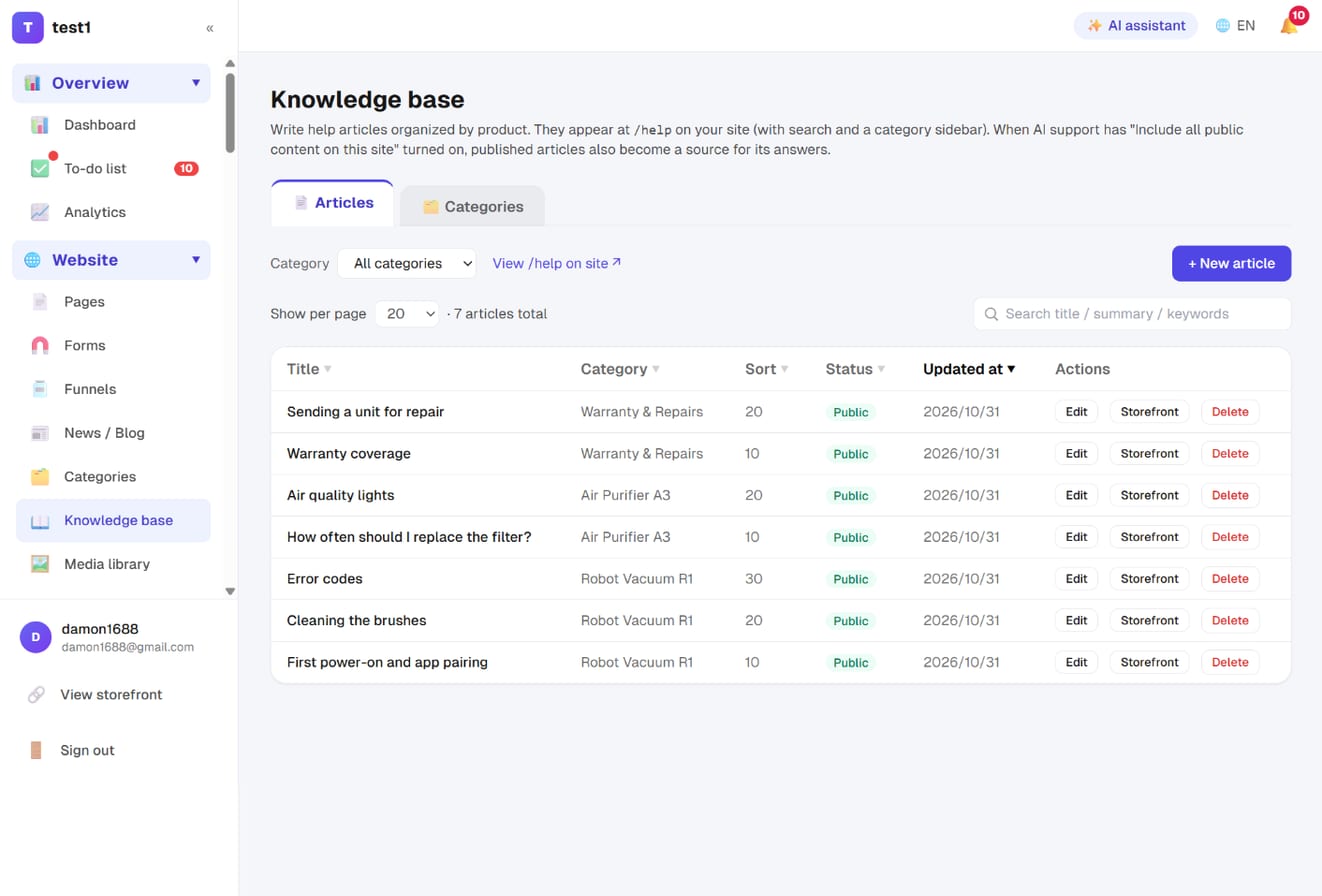
Step 3: Manage articles
The Articles tab lets you filter by category, search and sort. Click Storefront on any row to see exactly what customers see.
Step 4: Your /help page
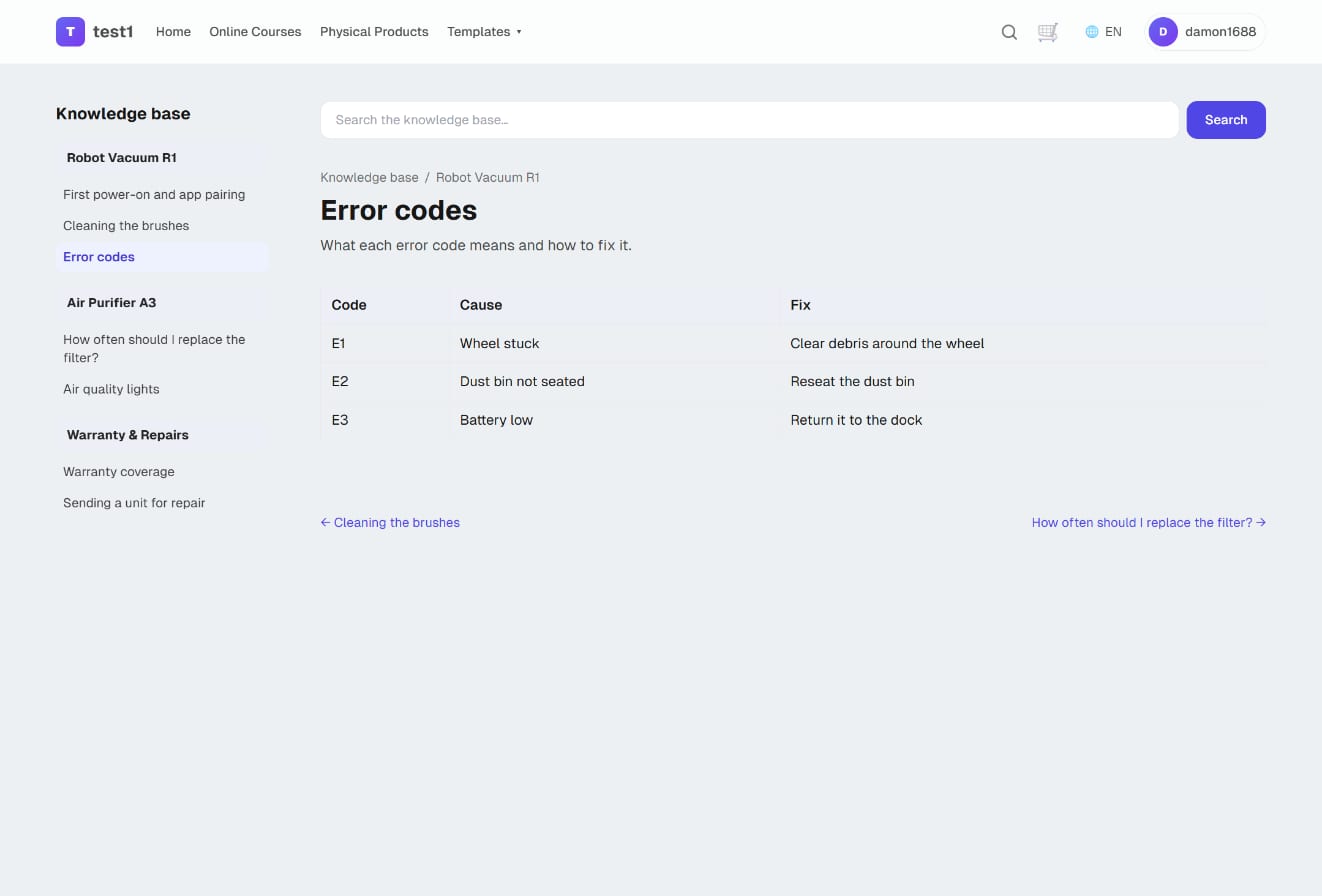
Your site now has /help: a search box at the top and every article listed by category. Add it to your top menu under Pages with a link item pointing to /help.
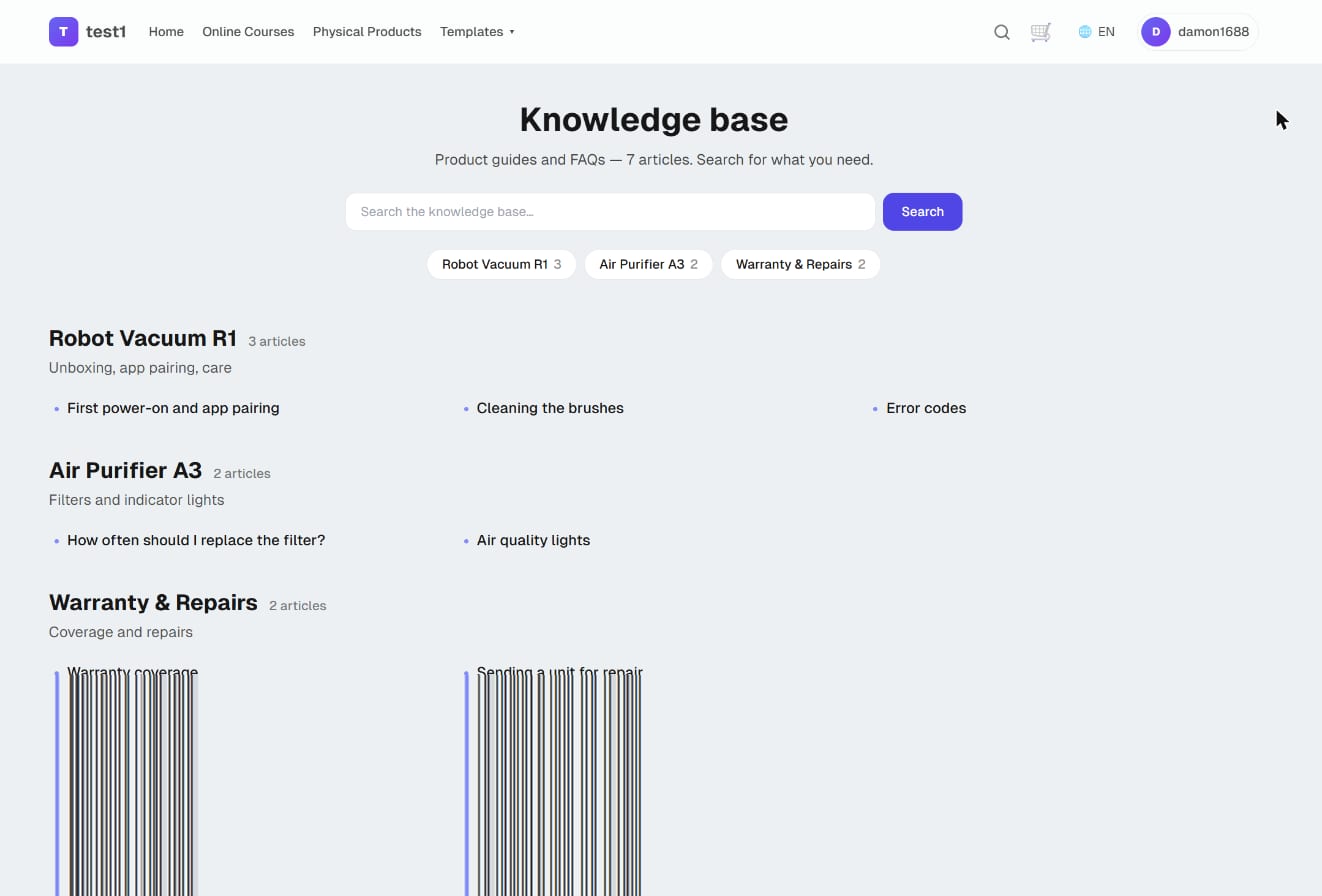
Inside an article, the category sidebar highlights the one you're reading, with previous / next links at the bottom.
Let AI support answer from your knowledge base
Go to Settings → Support bubble and turn on Include everything published on this site. From then on:
- For every customer question, the AI scans your article list and gets the full text of the most relevant ones
- Knowledge base articles come first, ahead of regular pages
- Answers link to the article so customers can read the full steps
- Edit an article and the very next answer uses the new version — no retraining
The closer "Keywords / how customers ask" matches how your customers actually talk, the more reliably the AI finds the right article.
This is different from the knowledge base field in the Support bubble settings: that field is only for the AI (return rules, internal notes) and customers never see it. Articles here are public for customers, and the AI uses them too. You can use both.