
Marketing playbooks
365 practical marketing methods — selling points, pricing, margin math, campaigns, ad copy, repeat purchases — each with steps and a deliverable format. Hand any of them to the AI assistant to work from your own site data. Free on every plan.
Marketing → Marketing playbooks holds 365 practical marketing methods. Each one breaks a specific marketing task into: what data to prepare, which steps to follow, what format to deliver, and how to check the result.
Available on every plan at no extra cost.
It's for the moment when you know you should be marketing but don't know where to start, or whether what you made is right. For example:
- "After every cost, how much do I actually keep on each box I sell?"
- "Customers buy once and never come back — what should I offer next, and when?"
- "I want a gift-with-purchase for our anniversary sale. What threshold won't lose money?"
- "The newsletter is written. What subject line should it have?"
Use a method, step by step
Step 1: Find a method
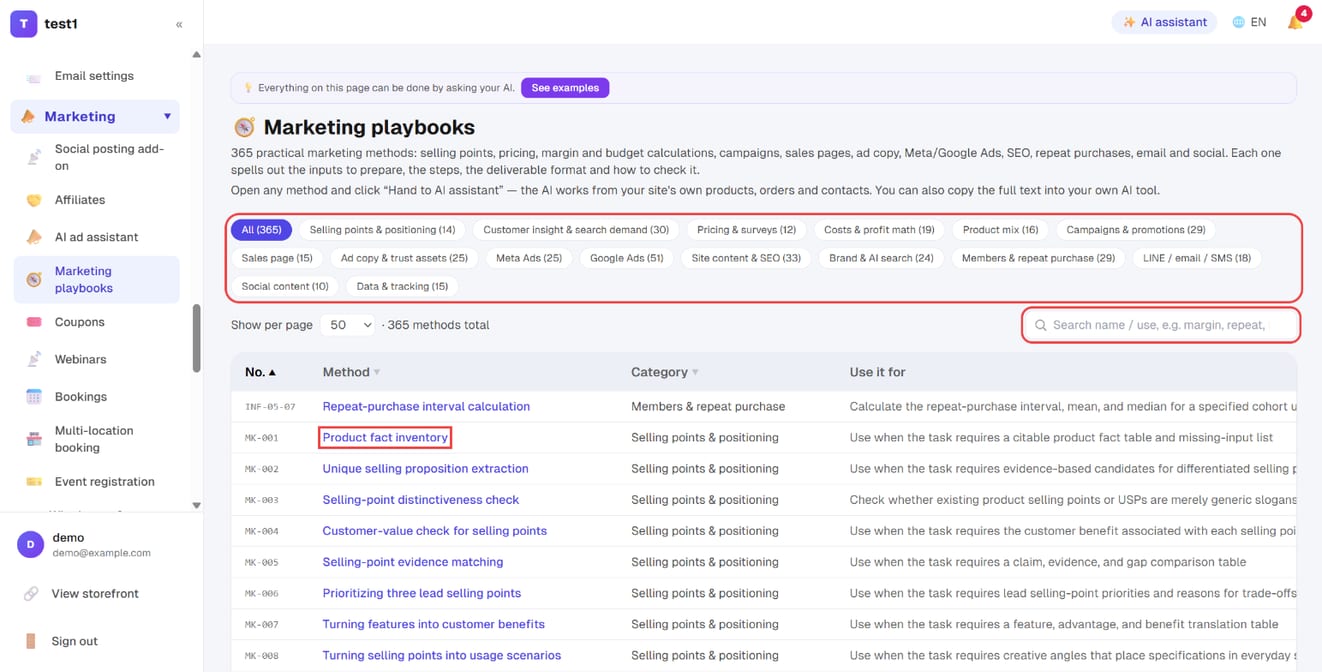
In the left menu, click "Marketing → Marketing playbooks". The top has categories you can click (selling points, pricing, costs & profit math, campaigns, sales pages, ad copy, Meta Ads, Google Ads, SEO, members & repeat purchase, LINE / email / SMS, social, data & tracking…). You can also type a keyword in the search box, such as "margin", "repeat", "gift" or "Meta audience". Click a method name to read it in full.
Step 2: Open the method and pick how to use it
At the top of a method page are two buttons: "🤖 Hand to AI assistant" and "Copy full text" (the three ways to use them are below). Underneath is the full text:
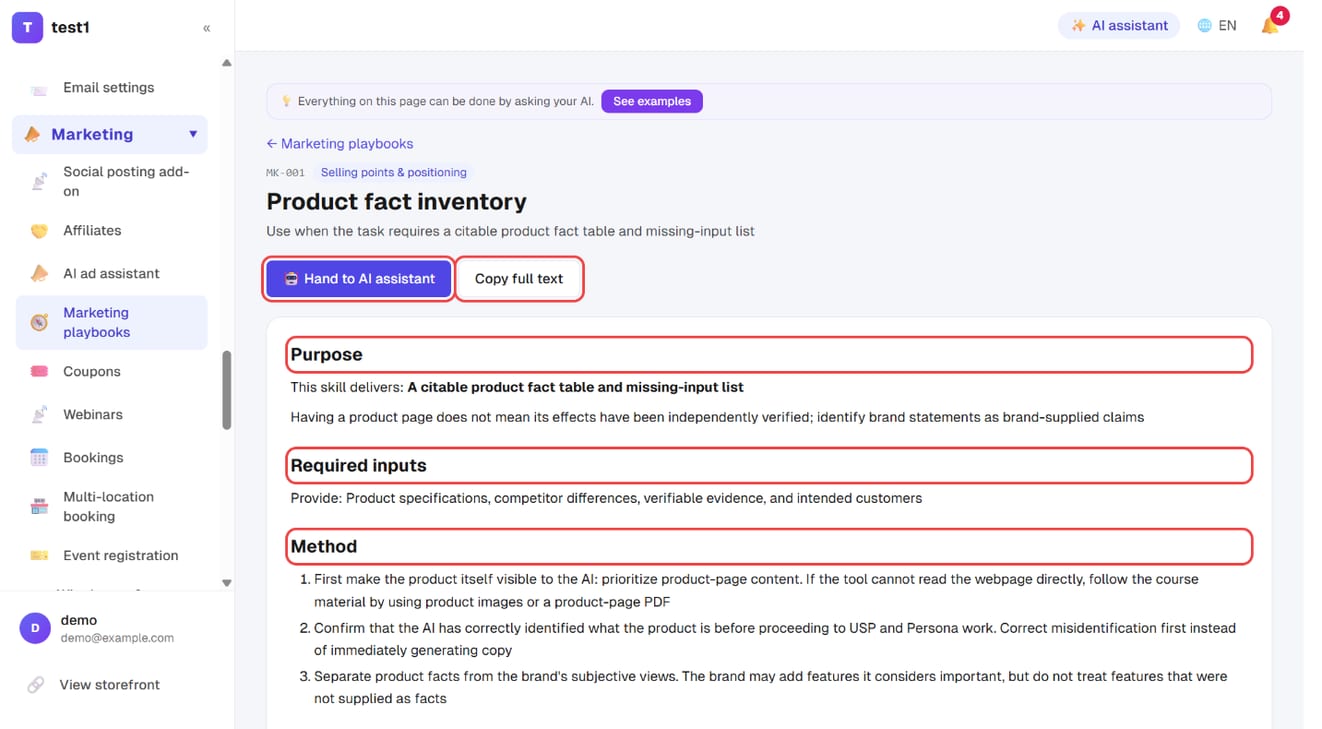
| Section | What it covers |
|---|---|
| Purpose | What the method delivers in the end |
| Required inputs | The data to prepare before you start |
| Method | The steps, one by one |
| Calculations and interpretation | Formulas and the definitions to watch (only for methods that calculate) |
| Required output fields | The table the result must be delivered in |
| Verification cases | Common mistakes and how they should be handled |
Three ways to use it
1. Hand it to the dashboard AI assistant (easiest)
On a method page, click 🤖 Hand to AI assistant. The AI assistant opens on the right with the message box already filled in: "Please use the marketing playbook '…' to help me with:". Add what you want it applied to and send, for example:
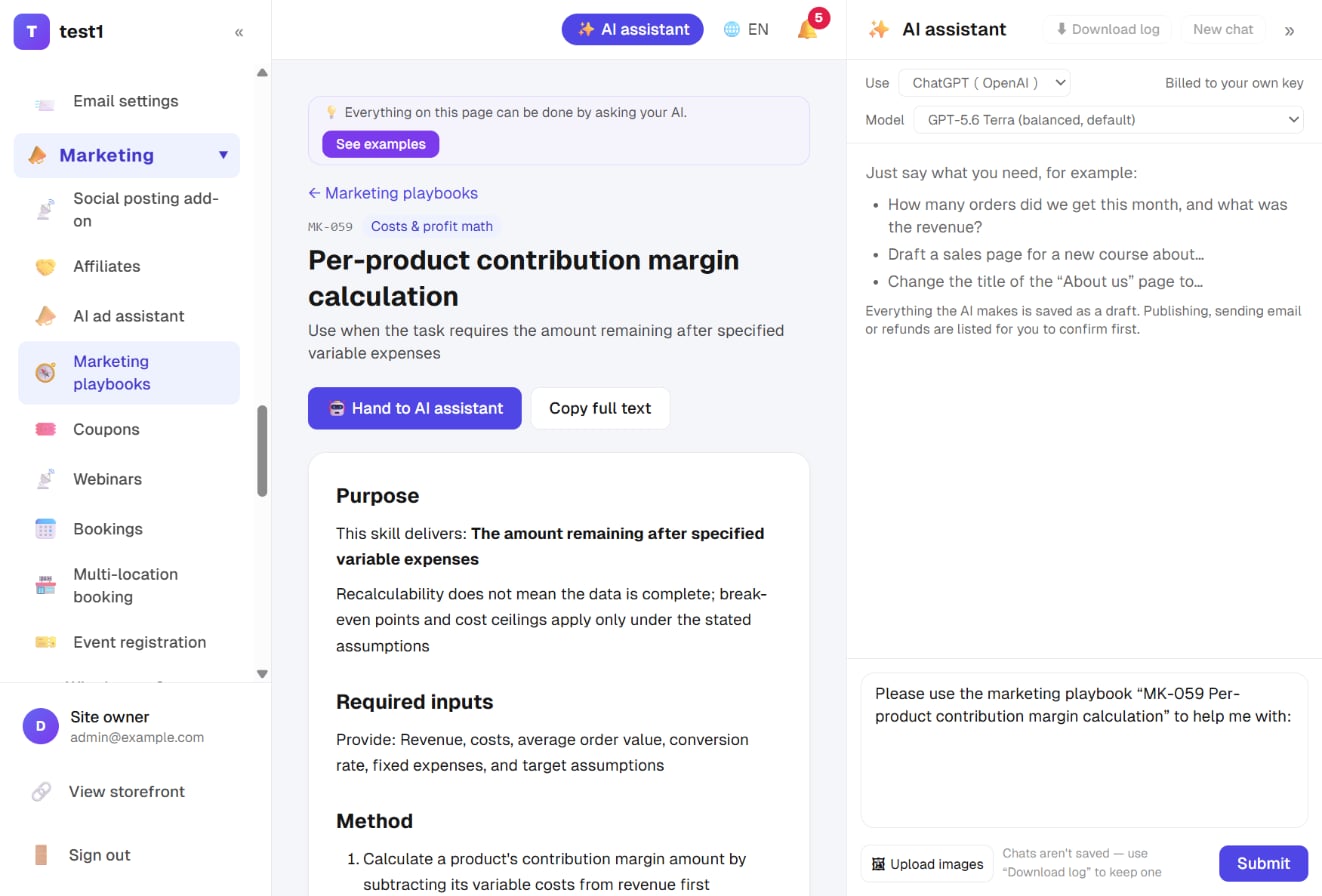
Please use the marketing playbook "MK-059 Per-product contribution margin calculation" to help me with: my "handmade cookie gift box" — ingredients 150, packaging 50, shipping 60 per box.
The AI follows the method's steps and looks up anything already on your site by itself (product prices, orders, revenue, contacts…), asking you only for what it can't find. It delivers the result in the table the method requires and says which method it used.
The dashboard AI assistant needs your own key under Settings → AI writing key. Usage is billed to your own AI account.
You don't have to find the method first. Just tell the AI assistant "help me plan a reminder for first repeat purchases" — it will search the library for a suitable method and follow it.
2. Use your own Claude / ChatGPT (MCP)
If you've connected your site to claude.ai or ChatGPT with Operate your site with AI (MCP), say the same thing there. The AI can find the library and read your site data in the same way.
3. Copy the full text into any AI
Copy full text on a method page copies the whole method. Paste it into whichever AI chat you prefer and add your data (product page, cost sheet, order export) to get started. No key is needed this way, but the AI can't see your site, so you provide the data yourself.
Tips for better results
- One task at a time. Each method handles one job; if you need both margin math and ad copy, ask in two rounds
- Give numbers with a period and a unit. "Last month's revenue was 120,000 (including shipping, before refunds)" is far easier to work with than "revenue 120,000"
- Fields marked "unknown" are expected. Methods require missing data to be marked unknown rather than invented — add the data and ask it to recalculate
- Check against the verification cases. The cases at the bottom of each method are where this kind of work most often goes wrong
FAQ
Does it cost extra? The library itself is free on every plan. Only "Hand to AI assistant" uses your own AI key, billed to your AI account. Copying the text into your own AI needs no key.
Will the AI change my site directly? Applying a method is analysis and output only. If you then ask the AI to turn the result into a page, coupon or newsletter, the AI assistant's usual rules apply: everything is saved as a draft first, and publishing or sending only happens after you confirm.
Is it available in other languages? Yes. When your dashboard is set to English or Simplified Chinese, the library shows that language's version.
Who wrote the content? The methods come from "Marketing Skills for Everyone", compiled by ThinkWithBlack, and are included under the MIT License. The categories and usage flow were added separately. The source and full license are under "Source and license" at the bottom of the library page.
A method says "please upload a file" — what do I do here? With the AI assistant you don't need to upload; it reads your site data with its tools. For data that isn't on your site (such as purchase costs or external ad reports), paste it in or upload an image.