
Import from systeme.io
Bring your contacts, tags, course structure and enrolments across with an API key — and move lesson videos into your own Vimeo with the advanced flow.
Settings → Import from systeme.io. Use your systeme.io API key to bring your contacts (with tags) and course structure across. You can import part of it now and come back later — re-running only adds what's new, it never duplicates.
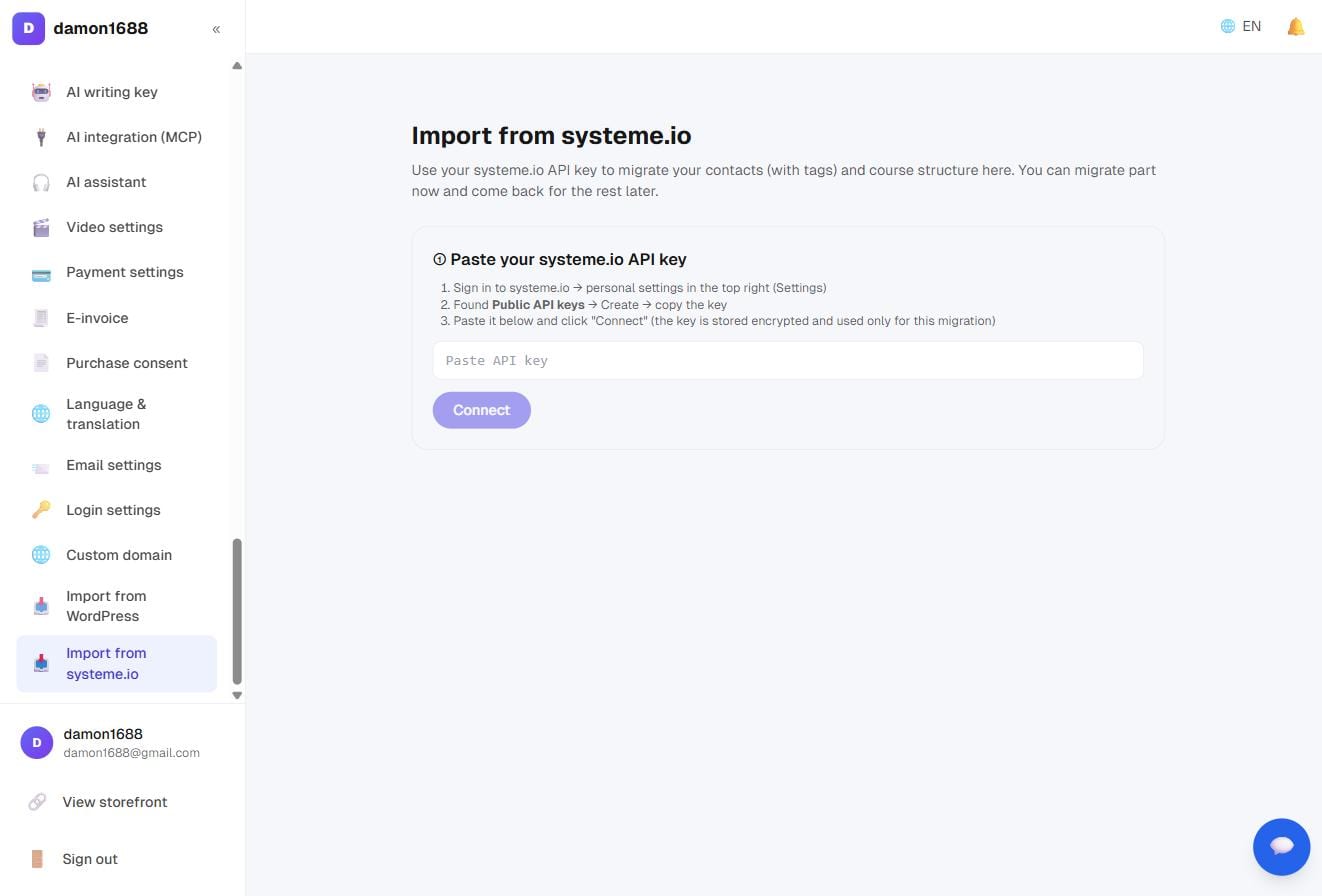
① Connect
- Sign in to systeme.io → Settings (top right)
- Find Public API keys → Create → copy the key
- Paste it in and press Connect
The key is stored encrypted and used only for this migration; Disconnect clears it at any time.
② Choose what to bring
Once connected you'll see what was detected and how much of it. Tick what you want and press Start import.
| Item | What it becomes here |
|---|---|
| Contacts + tags | Your subscriber list, with names and tags, honouring existing unsubscribes |
| Course structure (courses + chapters) | Courses and chapters, saved as drafts so nothing appears publicly by surprise |
| Enrolments (who can access what) | Student accounts created and granted the right courses |
| Pages / sales pages / blog | Not yet supported (the API can't read the content); planned via public URL import |
Imported student accounts have no password — ask them to use "forgot password" or Google sign-in. That's deliberate: passwords from the old platform aren't available, and shouldn't be.
Courses arrive as drafts. Go to Courses, check the content, add a description and cover, then publish.
③ Lessons and videos (advanced)
Chapters come across; lesson content and videos don't — the systeme.io API can't read them. So this part takes a different route and moves the videos into your own Vimeo account.
You'll need a Vimeo account (the free tier has a weekly upload cap; upgrade first if you have a lot of course material). Three steps:
Step 1 · Connect Vimeo Create an app in the Vimeo developer area → generate an access token with Public, Private, Create, Edit, Upload, Video Files → paste it in. Videos upload as unlisted, playable only on your site.
Step 2 · Extract the lessons
- Sign in to systeme.io in your browser and open any course's learning page (the one listing chapters and lessons)
- Press F12 to open developer tools → the Console tab
- Back here, press Copy extraction script, paste it into the Console and hit Enter
- It downloads a JSON file — come back and upload it
Run this once per course.
Step 3 · Build lessons and upload videos After uploading the JSON you'll see how many lessons were read (pending / done / no video). Press Start and each lesson is created and its video moved to your Vimeo. You can leave mid-way and press Continue later.
Vimeo transcoding takes a few minutes; after that the lessons are visible under Courses.
FAQ
What if it stops halfway? Nothing already imported is redone. Press Start (or Continue) again and it picks up where it left off.
Will I end up with duplicate contacts? No. Matching is by email — existing people are updated, not re-added.
Will people who unsubscribed start getting mail again? No. Unsubscribe status comes across with them. That one can't be allowed to go wrong.
Can I import just the list and skip the videos? Yes. Tick only contacts in step ②, and skip step ③ entirely.
Should I cancel systeme.io once I'm done? Run both for a few weeks first. Confirm the list, enrolments and checkout all behave, then shut the old one down.