
News & Blog
Publish posts, schedule them, organise categories, and use the four AI tools that come with the blog.
Website → News / Blog. The public URL is /blog, complete with search and a sidebar.
To show it in your storefront menu, go to Pages and tick "Menu" for the News item.
Write a post, step by step
Step 1: Create a new post
In the left menu, click "Website → News / Blog", then "+ New Post". Besides the article list and categories, the tabs at the top hold four AI tools: SEO Blueprint, Viral Analysis, Voice Fingerprint and AI Writer (see "Four AI tools" below).
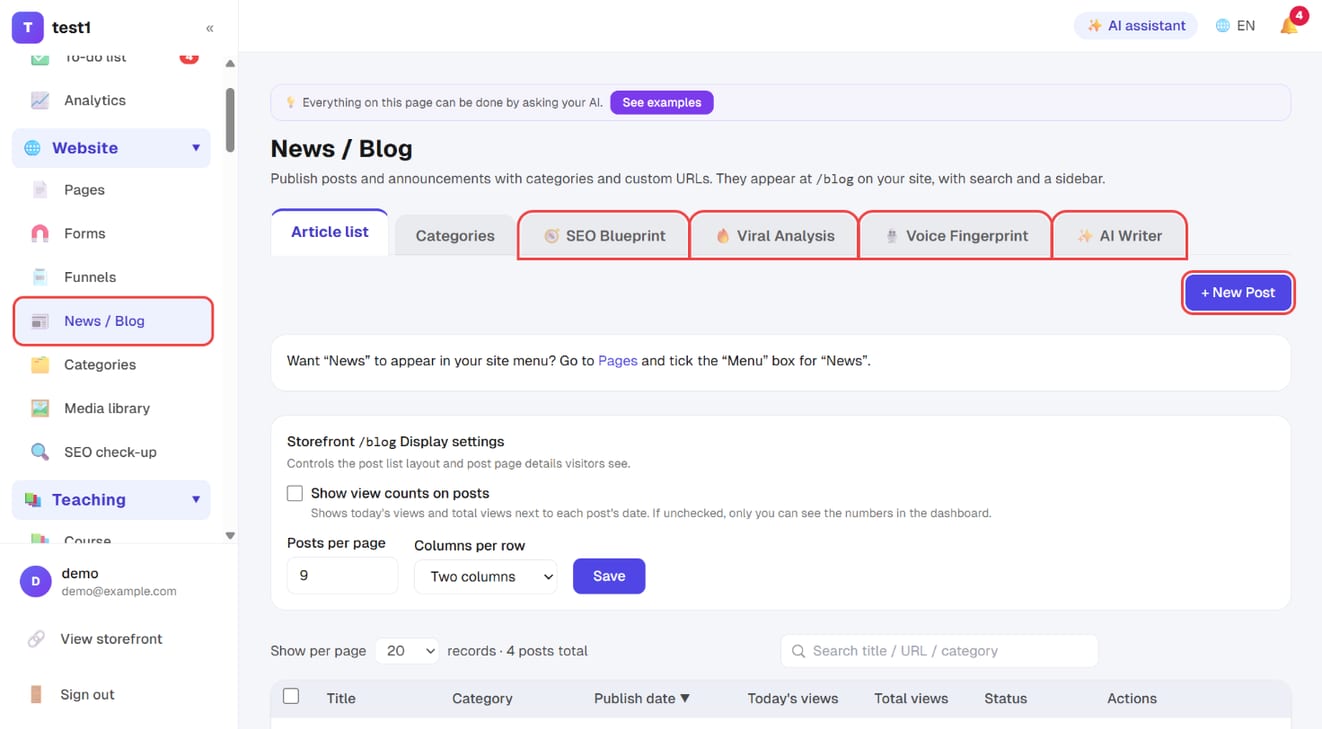
The "Storefront /blog Display settings" on the same page set how many posts per page, two or three columns, and whether view counts show on posts.
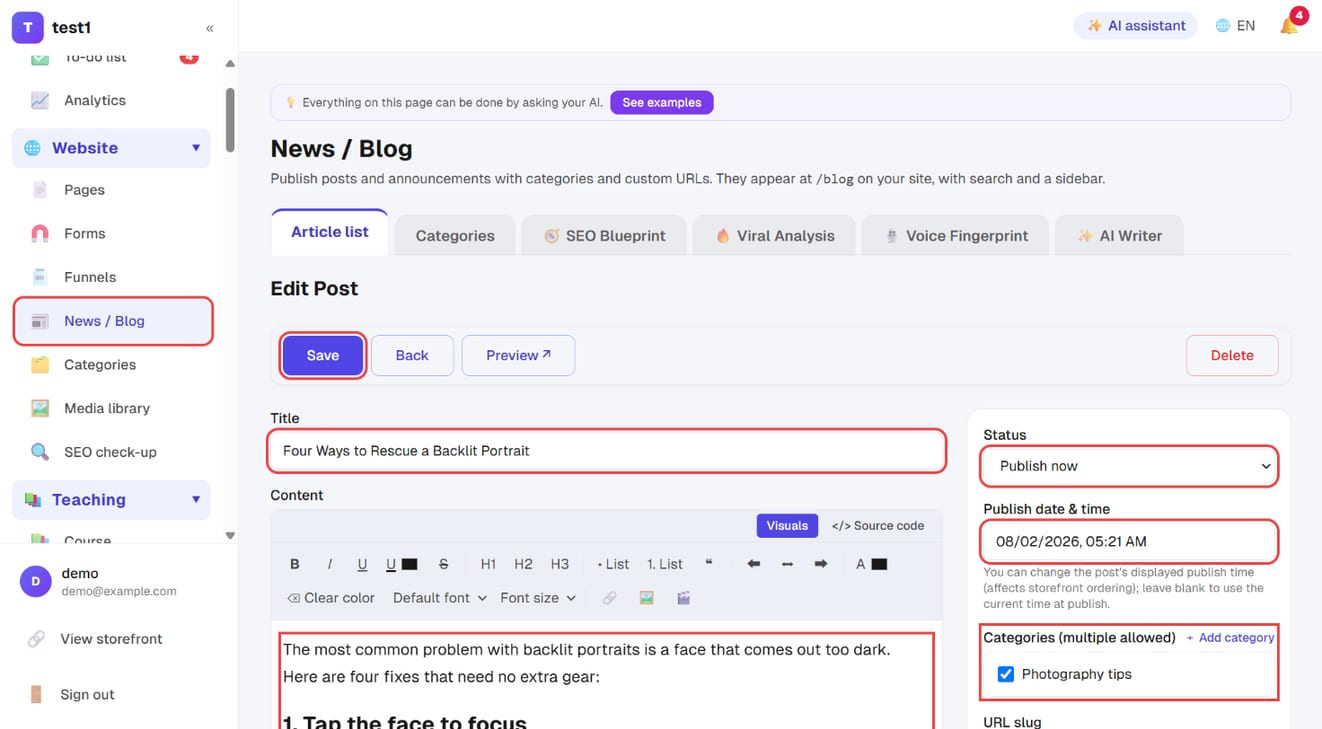
Step 2: Write the title and content, then pick a status and categories
- Title and Content: a visual editor where you can insert images, video, headings and lists
- Status: draft (private) / publish now / scheduled (goes live automatically at the time you set)
- Publish date & time: for a scheduled post this is when it goes live; you can also change the date shown on a published post
- Categories: pick several; "+ Add category" next to it adds one on the spot
- Further down: URL slug (stick to letters and numbers — non-Latin URLs turn into long encoded strings when shared), password protection, cover image and summary
Click "Save" at the top left when you're done; "Preview" shows the storefront version first.
Step 3: Fill in the SEO title, description and FAQ
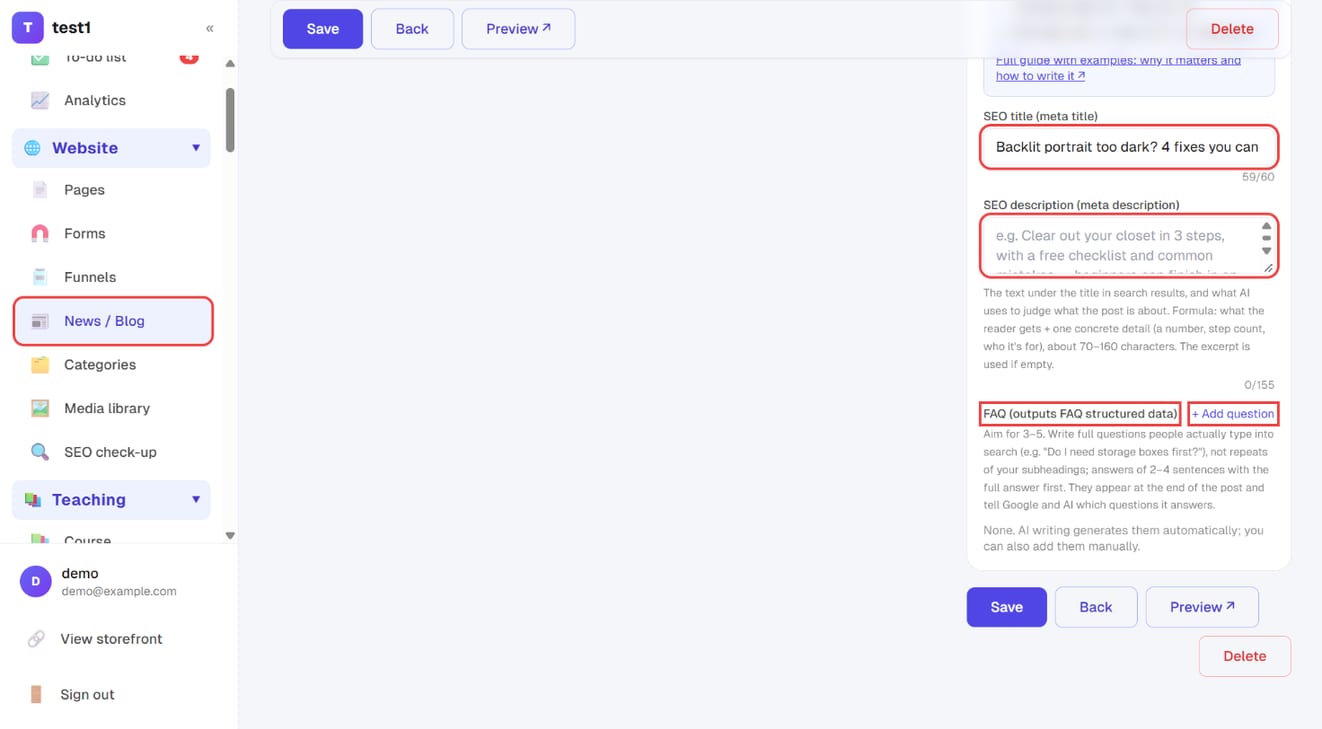
Scroll down the right column to "SEO settings":
- The "Get your post quoted by Google and AI" checklist at the top tells you live what's still missing (see Getting quoted by Google and AI)
- SEO title and SEO description: leave blank to reuse the title and summary. Only fill these in when you want search results to read differently
- FAQ: click "+ Add question". The questions appear at the end of the post and emit FAQ structured data — Google may expand them directly in search results
Draft a post with AI, step by step
The AI tools all need your own key under "Settings → AI writing key" first (usage bills to your AI account) — see step 1 of "Dashboard AI assistant".
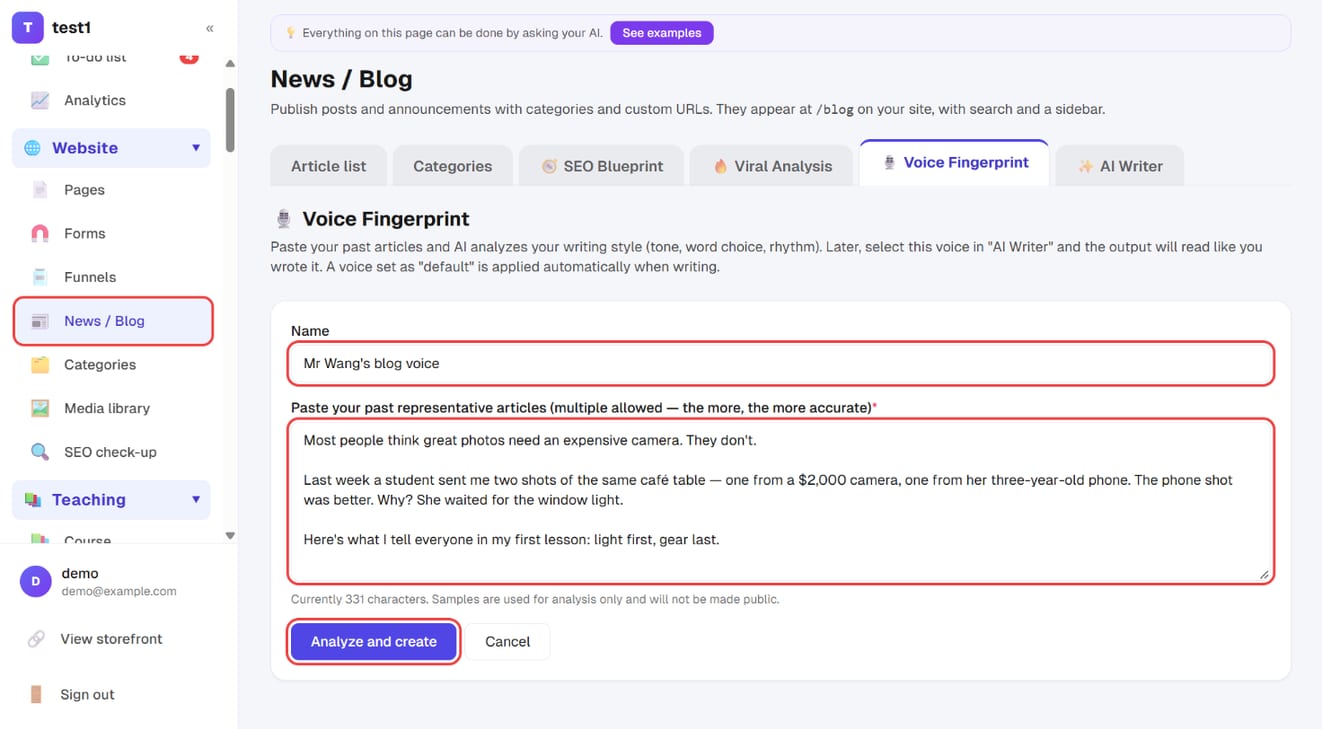
Step 1: Create a voice fingerprint (once)
Open the "Voice Fingerprint" tab and click "+ Create voice fingerprint". Give it a name, paste in 1–3 posts you've written that best represent your style, and click "Analyze and create". Set it as default and it's applied automatically whenever you generate.
Step 2: Generate a draft with AI Writer
Open the "AI Writer" tab:
- Topic / title direction (required) and keywords (optional)
- Length and category
- Voice fingerprint: pick the one you just created
- Extra style instructions (optional)
- Click "✨ Generate draft"
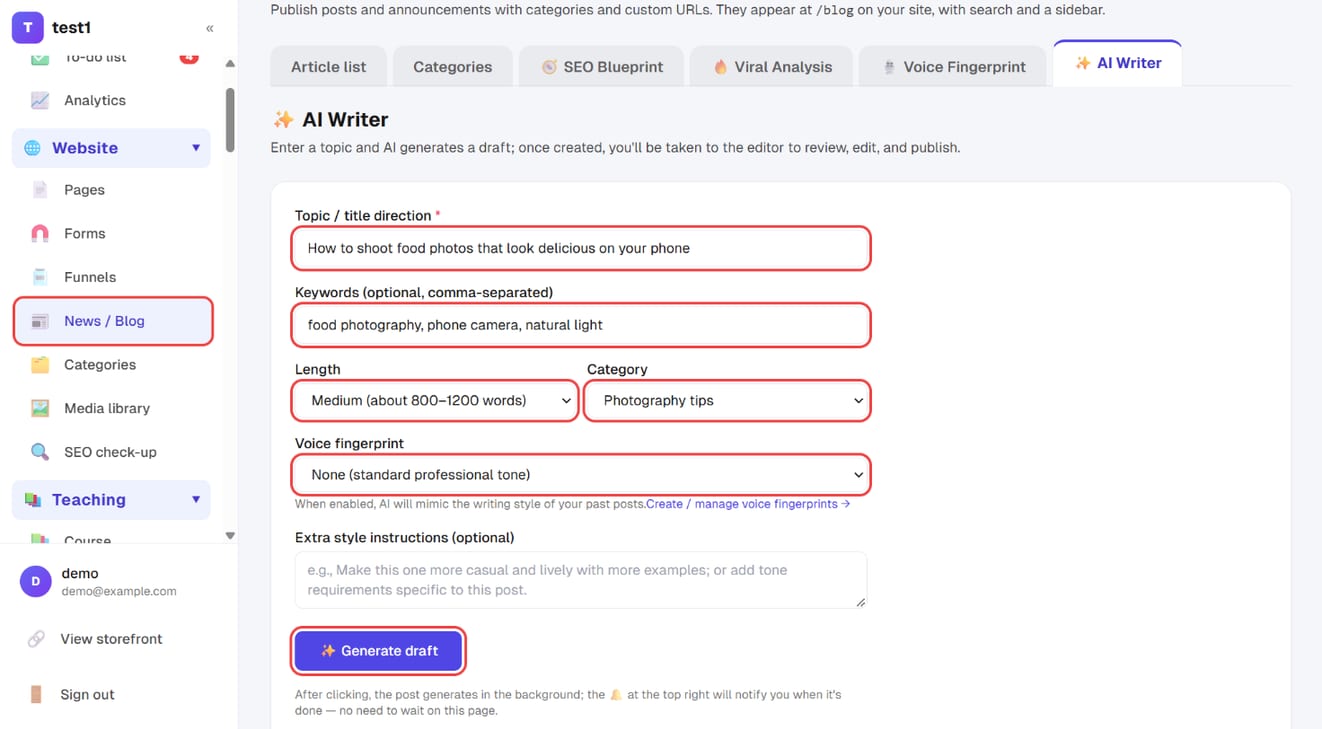
The post is generated in the background and the bell at the top right tells you when it's ready — no need to wait on the page. The result is always a draft: review and edit it before you publish.
Three states
| State | Meaning |
|---|---|
| Draft | Only you can see it |
| Published | Live on the storefront |
| Scheduled | Publishes automatically at a time you set |
Scheduling runs on the platform's scheduler — you don't need to be online when it fires.
Four AI tools
These are designed as a sequence and work best used in order. All of them need your own key under Settings → AI writing key (usage bills to your AI account; the platform adds no fee).
🎙️ Voice fingerprint (do this first)
Paste in some of your existing writing and the AI works out your tone, vocabulary and rhythm. Mark one as default and it's applied automatically whenever you generate.
Why this comes first: AI articles without a voice fingerprint read like AI articles. Ten minutes pasting three or four old posts pays off on everything you write afterwards.
🧭 SEO blueprint
Enter your field and target audience and get a plan of one pillar article plus twelve cluster articles, each targeting a long-tail keyword across the awareness / consideration / decision stages.
This is the compounding kind of content — it keeps bringing organic traffic, but takes months to show results.
🔥 Viral analysis
Enter your field and the AI works out what gets opened, shared and commented on in that space, then suggests eight high-engagement topics.
It complements the SEO blueprint: viral topics win short-term reach on social, the blueprint wins long-term compounding from search.
✨ AI writing
Give it a topic, get a draft, and land in the editor to review. Every suggested topic from the two tools above can be sent straight here with one click — no copying and pasting.
Generation runs in the background: start it, go do something else, and you'll get a bell notification when the draft is ready.
Output is always a draft. There is no path where the AI publishes a post by itself.
FAQ
Can I publish what the AI writes as-is? Technically yes; don't. The AI doesn't know what a student asked you last week, or your actual prices and case studies — and those are what keep readers. Treat it as a first draft.
A scheduled post didn't publish. Scheduling depends on the platform's scheduler. If nothing scheduled is firing at all, check the email log and system notifications for wider problems.
Can posts be multilingual? Post content is never auto-translated. Enabling multiple languages translates the interface; your article text stays in whatever language you wrote it.
Can categories be nested?
No — one level only. The storefront filters with /blog?category=slug.