
Physical Products & Shipping
Create products and variants, manage inventory, set up shipping rates, and fulfil orders.
Beyond courses, you can sell physical products (books, materials, merch). Visitors check out through a cart, separately from courses.
List a product, step by step
Step 1: Add a product
In the left menu, click "Shop → Shop", then "+ Add product" at the top right.
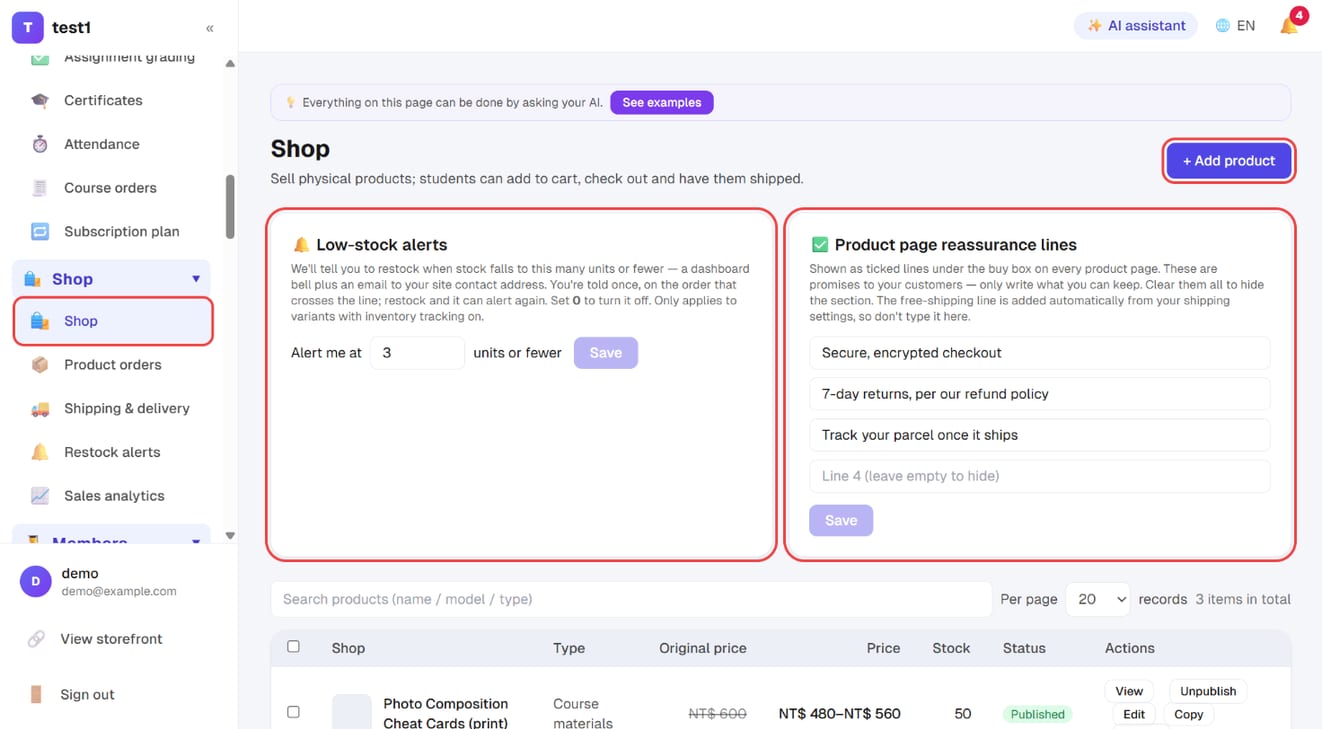
Two shop-wide settings sit above the list:
- Low-stock alerts: get reminded to restock when a product falls to this many units (dashboard bell plus an email to your site contact address). 0 turns it off
- Product page reassurance lines: the ticked lines under the buy box on every product page, e.g. "7-day returns". Only write what you can actually deliver
Step 2: Name and description
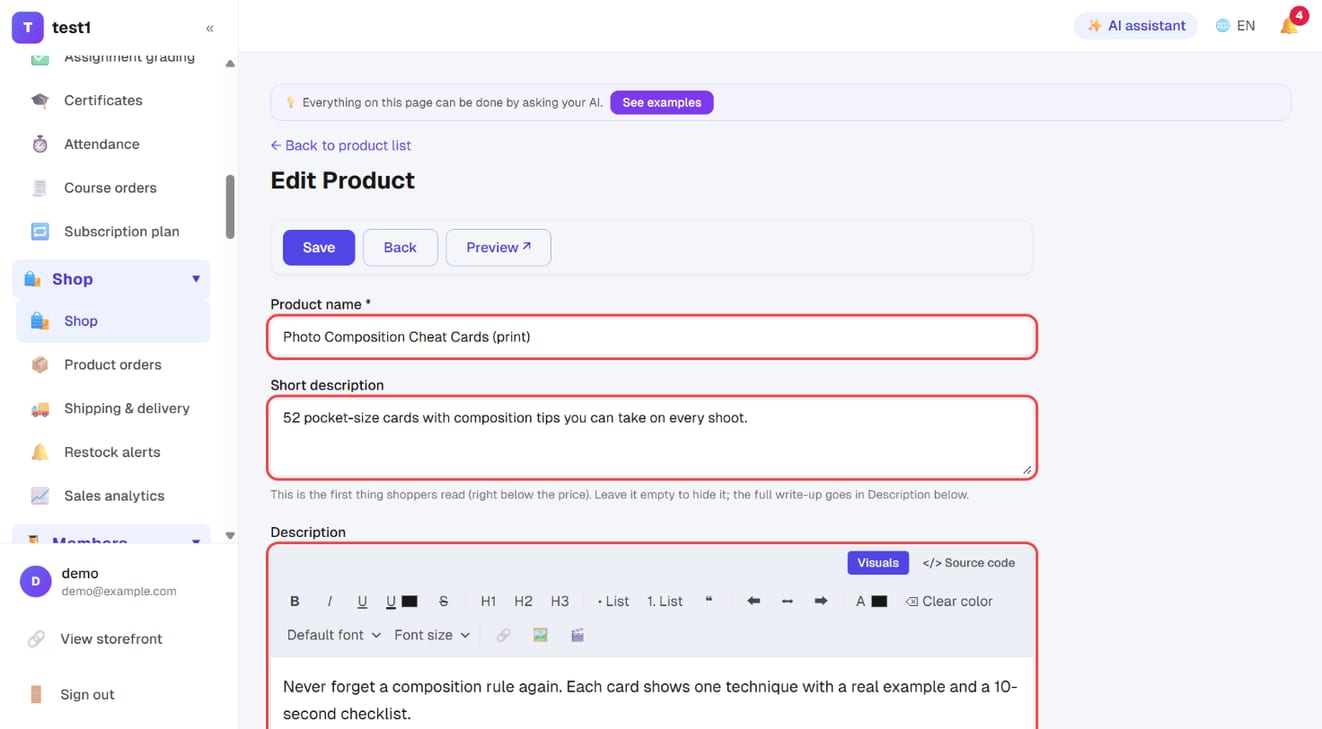
- Product name (required)
- Short description: a line or two on what it is and who it's for, shown right under the price
- Description: a full rich-text editor for the detailed write-up
Step 3: Images, product type and tags
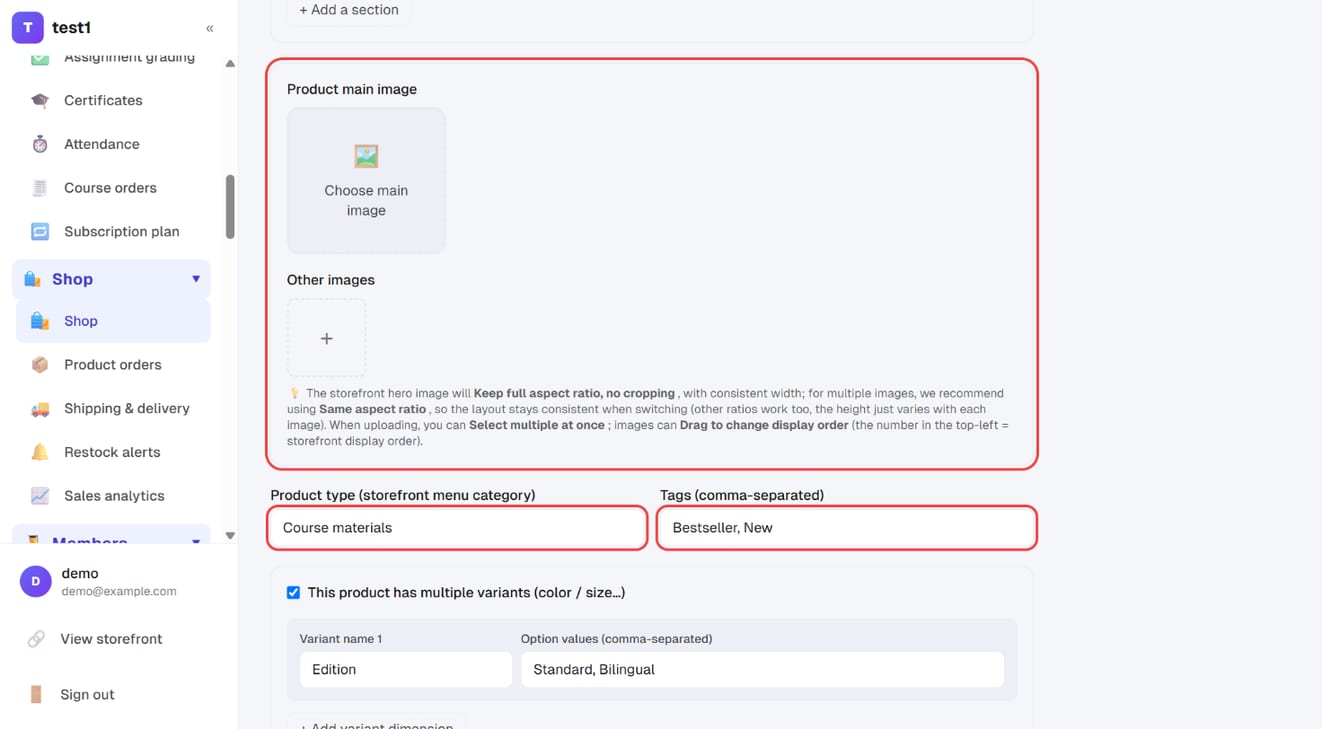
- Product main image: click "Choose main image"
- Other images: click "+" — you can pick several at once and drag to reorder. Use the same aspect ratio for all of them
- Product type: the storefront menu category, e.g. "Course materials" or "Merch"
- Tags: comma-separated, e.g. "Bestseller, New"
Step 4: Variants, prices and stock
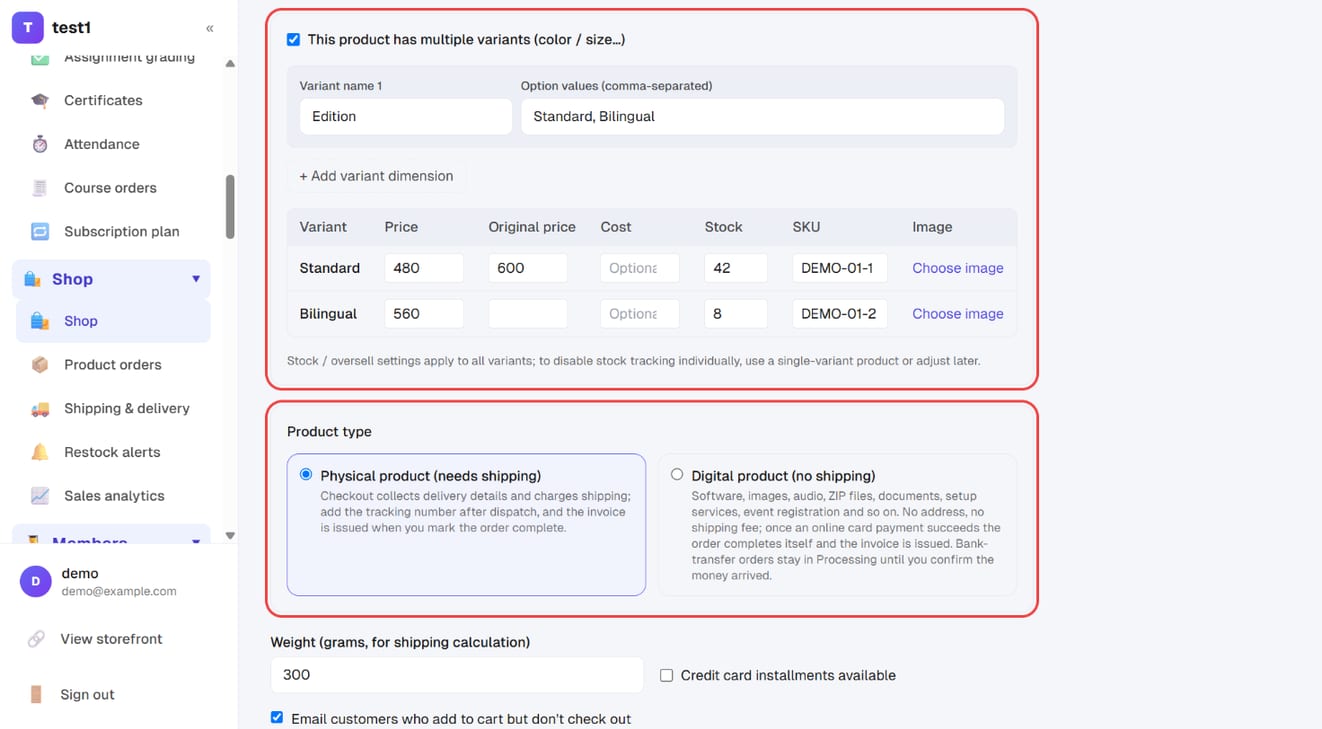
When the same product comes in different editions, sizes or colours, tick "This product has multiple variants":
- Enter the variant name ("Edition", "Size"…) and the option values, comma-separated
- Need a second or third set? Click "+ Add variant dimension" (up to three)
- The table lists every combination: fill in price, original price (shown struck through), cost, stock and SKU, and use "Choose image" to swap the photo for that variant
Then choose the product type:
- Physical product (needs shipping): checkout collects a delivery address and charges shipping. Fill in the weight (grams) for shipping calculation
- Digital product (no shipping): software, files, services — no address, no shipping fee, and the order completes itself once an online payment succeeds
Step 5: Other options, then publish and save
- Credit card installments available
- Email customers who add to cart but don't check out: one email each at 1, 3 and 24 hours, stopping the moment they check out
- Home delivery only: for bulky items — checkout offers home delivery only when this product is in the cart
- Set Status to "Listed", tick "Show in the storefront shop" and click "Save"
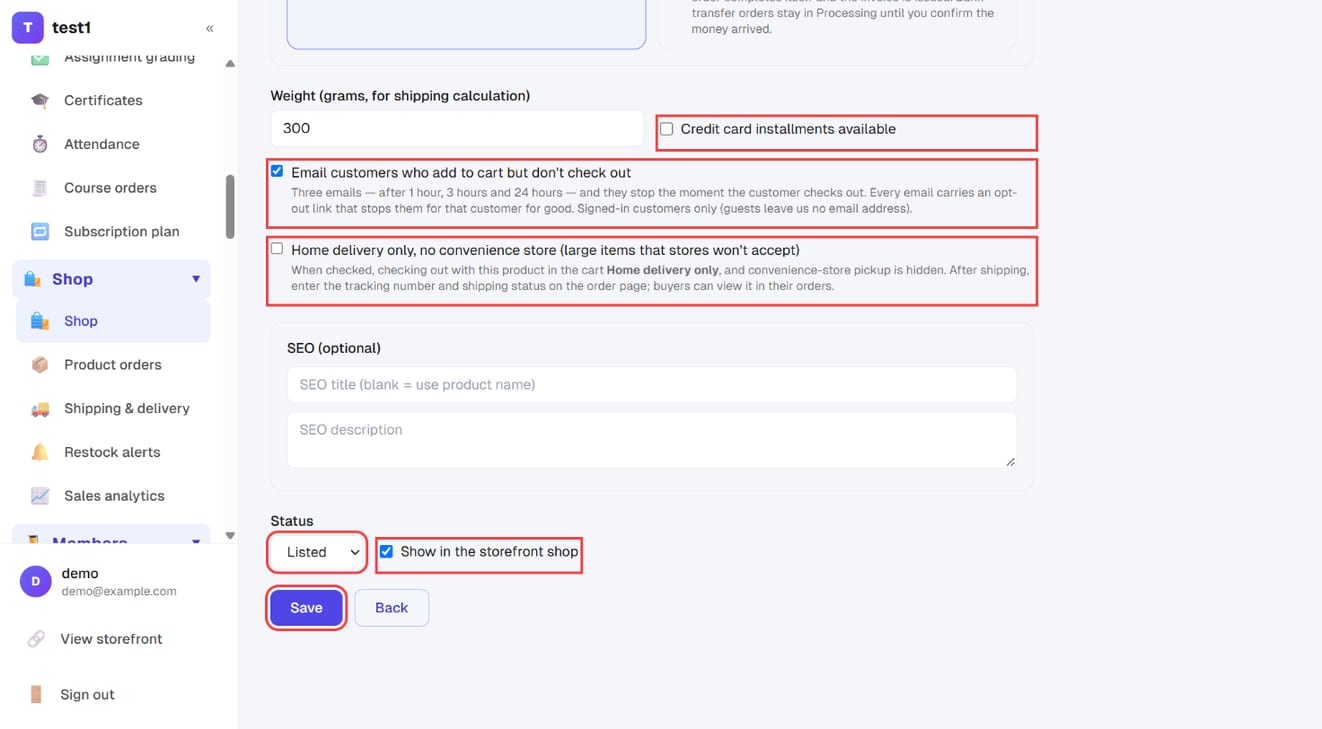
"Status" and "Show in the storefront shop" are two separate settings — both need to be right for the product to appear.
Set up shipping rates, step by step
Step 1: Create delivery regions and methods
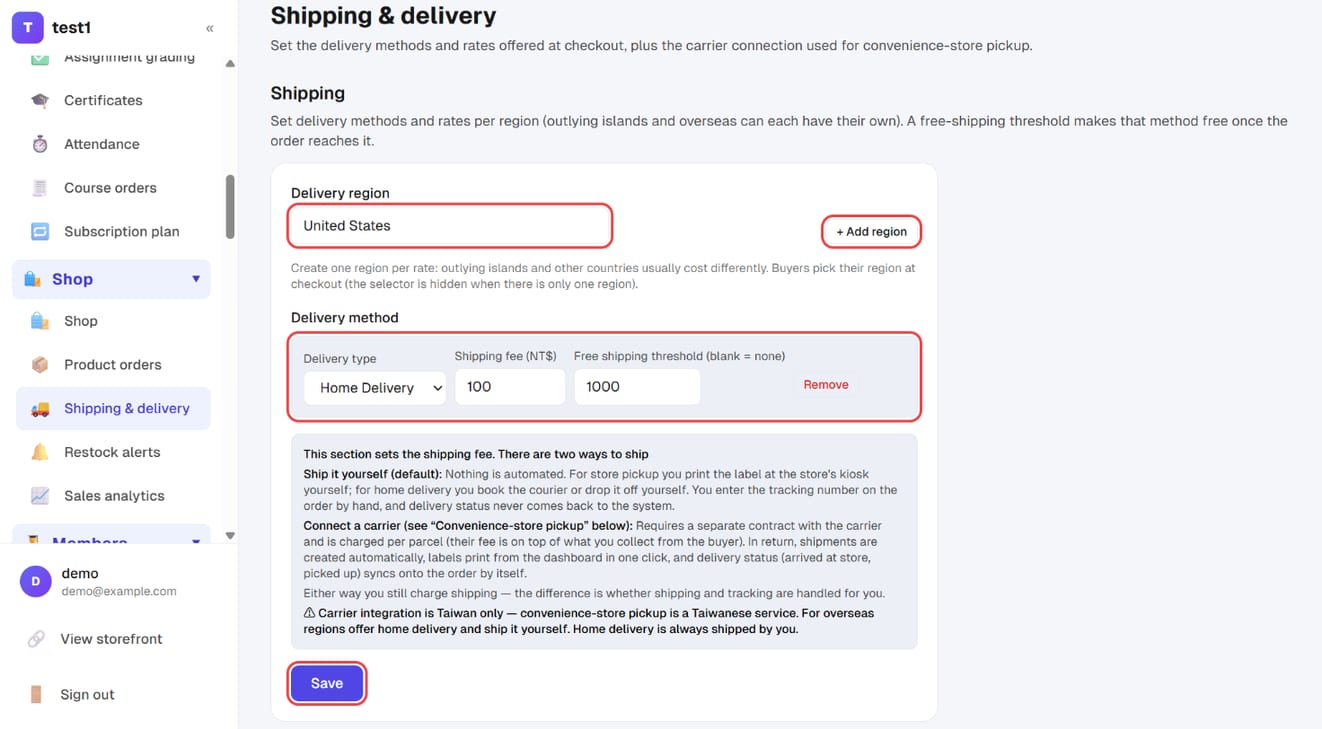
In the left menu, click "Shop → Shipping & delivery". In the "Shipping" section:
- Delivery region: e.g. "United States". If other places cost differently, click "+ Add region" for each one. Buyers pick their region at checkout (with only one region the selector never appears)
- Under each region, set the delivery method with its shipping fee and free shipping threshold (orders above it ship free; blank = no free shipping)
Click this section's "Save".
Ship an order, step by step
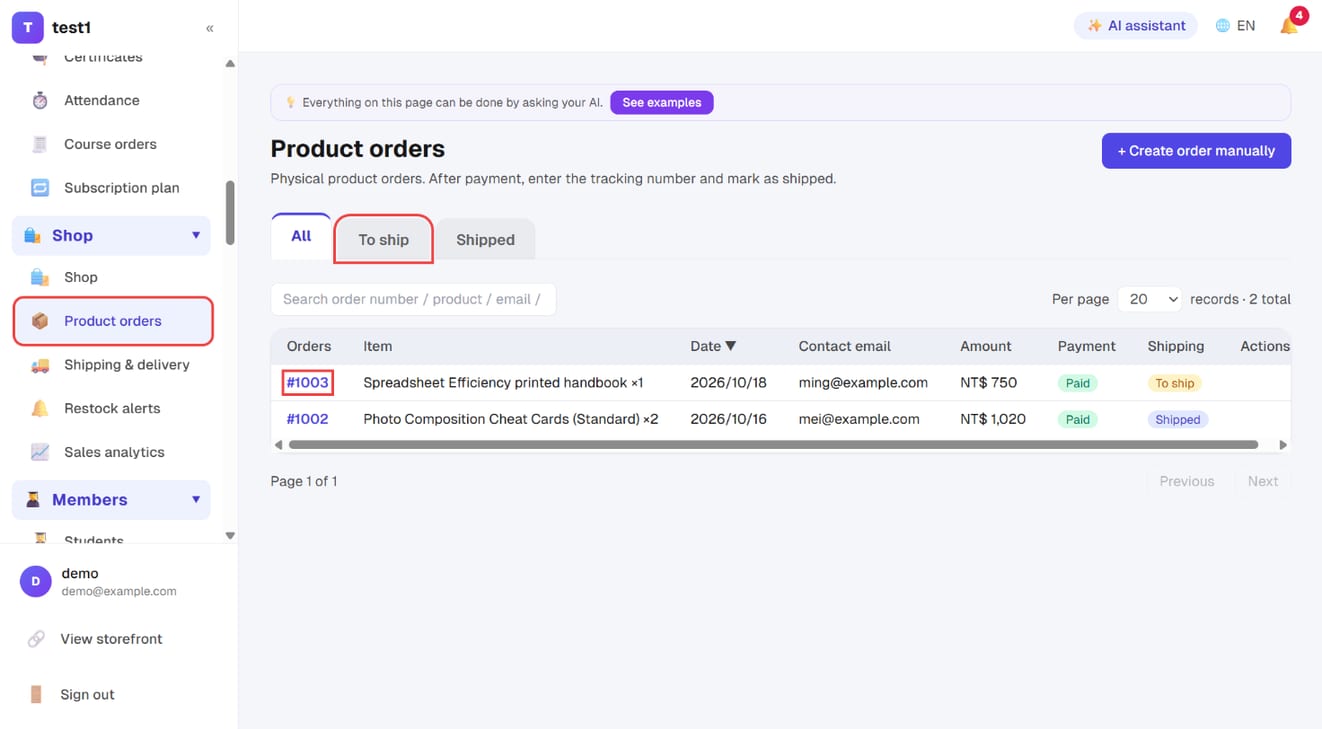
Step 1: Find the order under "To ship"
In the left menu, click "Shop → Product orders", switch to the "To ship" tab and click the order number.
Step 2: Enter the tracking details and save
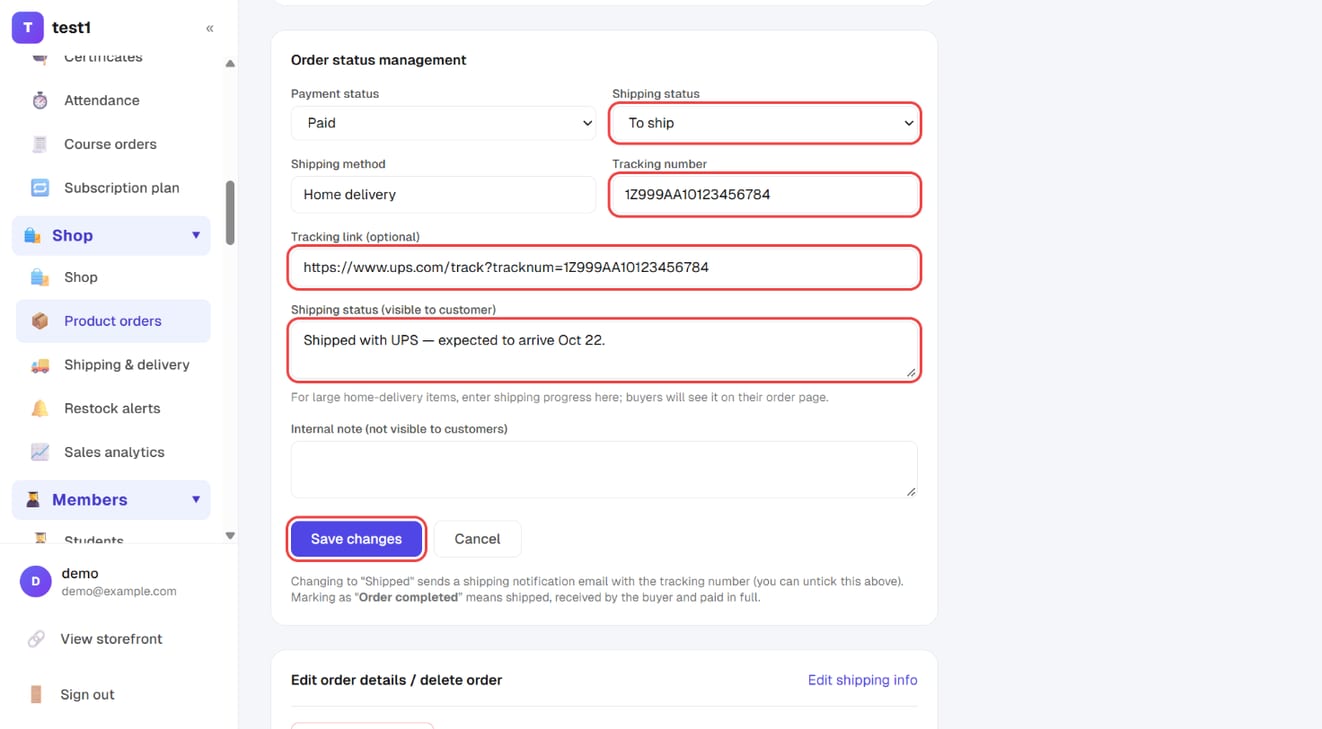
On the order page, under "Order status management": set Shipping status, enter the Tracking number and Tracking link (optional), add a Shipping status (visible to customer) note if useful, and click "Save changes". Changing it to "Shipped" emails the customer the tracking number.
Creating a product
- Main image and gallery: the product page shows all of them
- Description: a full rich-text editor
- Product type and tags: for categorising; the storefront can show a single type
- Slug: the product page URL — stick to letters and numbers
Products start as drafts — publish before they appear on the storefront.
Variants
When the same product comes in different sizes or colours, use variants — up to three option sets (e.g. Size / Colour / Material).
Each combination has its own:
| Field | Notes |
|---|---|
| Price | For this specific combination |
| Compare-at price | Shown struck through, for a discount effect |
| SKU / barcode | Your own reference |
| Inventory quantity | |
| Weight | Used for shipping calculations |
| Image | Swaps the photo when that variant is selected |
Inventory
- Track inventory: turn it off to ignore quantities (good for pre-orders or unlimited items)
- When sold out: either stop sales, or keep accepting orders (backorders)
Sold-out products show a restock notification form on the storefront. Visitors leave an email, and you'll find them under Shop → Restock list.
Shipping rates
Rates are set per delivery region:
- Delivery region: one for mainland Taiwan, one for the outlying islands, another for Malaysia — add a region (top right) whenever the rate differs. Buyers pick their region at checkout; with only one region the selector never appears.
- Within a region there are two delivery methods — home delivery and store pickup — one row each (the method is the name, so there is nothing to name):
- Rate
- Free-shipping threshold: orders above this amount ship free
The region is chosen by the buyer rather than guessed from the address: the address is one free-text line, and guessing “island” or “which country” from it goes wrong — which means charging the wrong shipping.
Charging for shipping is not the same as connecting a carrier
This section only decides what the buyer pays. Shipping itself goes one of two ways:
| Ship it yourself (default) | Connect a carrier | |
|---|---|---|
| Cost | Just the shipping you charge | A contract with the carrier, charged per parcel on top |
| Labels | You print at the store kiosk / book the courier yourself | One click in the dashboard, or issued automatically |
| Tracking | Never comes back; you update the order by hand | Arrived / picked up syncs onto the order |
You can sell perfectly well without connecting anything — the buyer still picks a delivery method and still pays shipping; you just handle everything by hand. Carrier integration is available for Taiwanese convenience-store pickup only.
Two product-level switches also affect checkout:
- Requires shipping: turn it off for virtual goods — checkout won't ask for an address or charge shipping
- Home delivery only: for bulky items; hides pickup-point options at checkout
Orders and fulfilment
Shop → Product orders. Every order carries two independent statuses:
| Status | Values |
|---|---|
| Payment | Pending / Paid / Refunded |
| Fulfilment | Unfulfilled / Partial / Fulfilled / Completed |
They're separate for a practical reason: cash on delivery is "shipped but not paid", a pre-order is "paid but not shipped" — one status can't express both.
Enter a tracking number when you ship, and the customer is emailed automatically.
FAQ
I published a product but can't see it on the storefront. Check that the status is Active rather than Draft or Archived, and that the publish toggle is on — those are two separate fields.
Can someone buy a course and a physical product together? The cart is for physical products; courses use their own checkout. They're separate flows.
If I change a price, do existing orders change? No. An order records the price at the time it was placed.
Can I oversell my stock? Not if "when sold out" is set to stop sales. The option to keep accepting orders is there deliberately, for pre-orders.