
Login settings (Google sign-in)
Let students sign in with Google: use the platform's setup with no configuration, or your own so the consent screen shows your brand.
Settings → Login. Students can always register and sign in with email and password; this page is about whether to add a "Sign in with Google" button as well.
Set up Google sign-in, step by step
Step 1: Pick an option and save
In the left menu, click "Settings → Login settings" and choose one of three options, then click "Save":
- Turn Google sign-in off: email and password only
- Use the platform's Google sign-in (no setup): works immediately
- Use your own Google (shows your brand): the consent screen shows your own name and domain
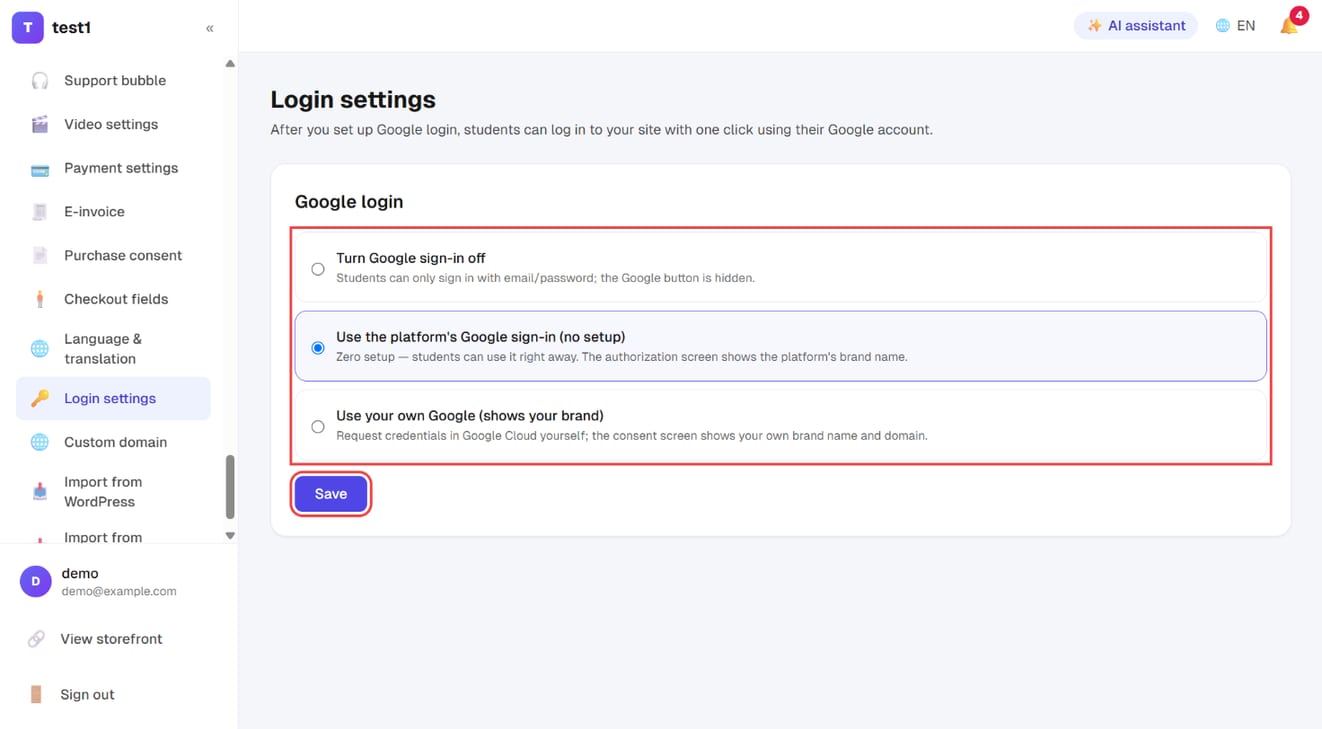
Step 2: (Optional) Fill in your own Google credentials
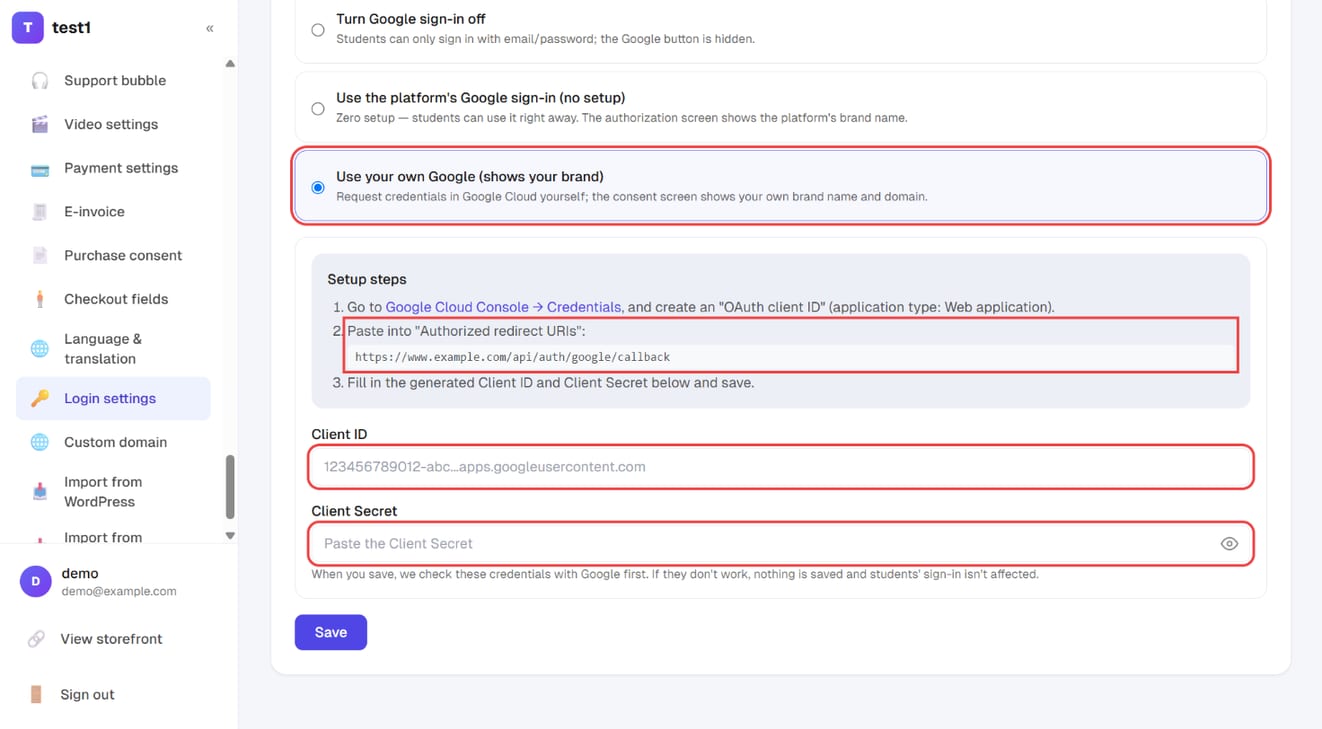
Choose "Use your own Google" and the setup steps appear: create an OAuth client ID in Google Cloud Console, paste the redirect URI shown here into "Authorized redirect URIs", then fill in the Client ID and Client Secret and save. The credentials are checked with Google before anything is saved.
Three options
| Option | Who it suits |
|---|---|
| Email/password only | You don't want an extra button, or your audience doesn't use Google |
| The platform's Google sign-in | Most people. No configuration — switch it on and it works |
| Your own Google app | Brand-conscious setups: the consent screen shows your name, not the platform's |
The only difference is whose name appears during that one authorisation step. The behaviour is identical.
Why it's worth switching on
What it saves isn't ten seconds of typing — it's the entire forgotten-password detour. A student comes back six months later, can't remember their password, requests a reset, waits for the email, sets a new one. People drop out at every step. Google sign-in has none of it.
Using your own Google app
- In Google Cloud Console → Credentials, create an OAuth client ID with application type Web application
- Under Authorised redirect URIs, paste the URL shown on this page (it's generated from your current domain — just copy it)
- Put the Client ID and Client secret into the fields below and save
⚠️ Come back and update the redirect URI after moving to a custom domain. The domain changed, so the URL registered with Google no longer matches and students hit redirect_uri_mismatch. It's the most common failure on this page. See Custom domain.
Once saved, the secret only shows as "configured" — paste a new one to replace it, or leave blank to keep it.
FAQ
What happens to people who already registered with a password? Nothing — password sign-in keeps working. Signing in with Google on the same email address resolves to the same account.
Do I still get their email address? Yes. A normal student account is created and appears in your student list.
Students imported from another platform have no password — how do they get in? Either "forgot password" to set one, or Google sign-in. That's exactly why enabling Google is worth doing before a migration. See Import from systeme.io.
I'm getting redirect_uri_mismatch. The redirect URI registered in Google Cloud Console doesn't match your current domain. Copy the URL from this page and paste it into Google.
Can I offer Google only, with no password login? No. Email/password stays as the baseline — otherwise anyone with a Google account problem is locked out entirely.