
Sales Funnels
Build multi-step sales flows from templates, edit each step, and see where people drop off.
A funnel is an ordered series of pages that walks a visitor towards a purchase. The URLs look like /f/{funnel-slug}/{step-slug}.
Build a funnel, step by step
Step 1: Open Funnels
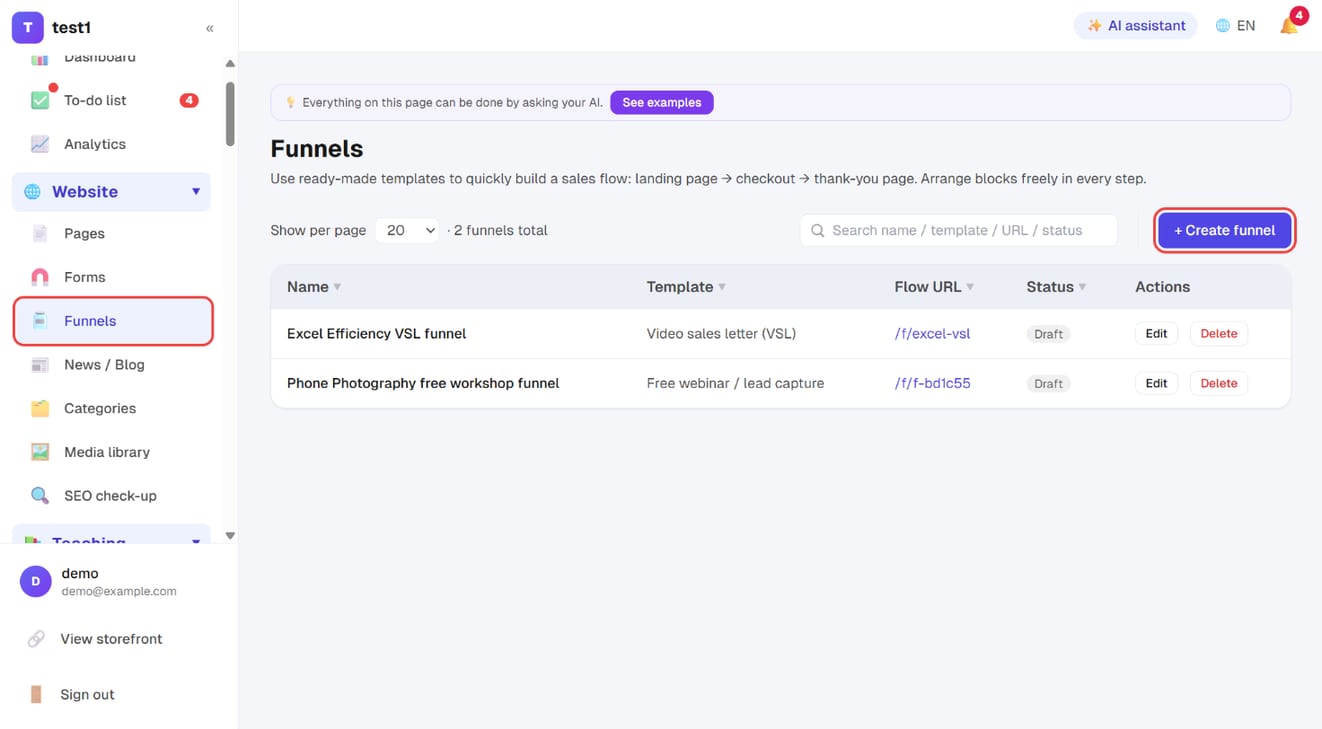
In the left menu, click "Website → Funnels". The list shows each funnel's template, flow URL and status. Click "+ Create funnel" at the top right.
Step 2: Name it, pick a template and a sales target
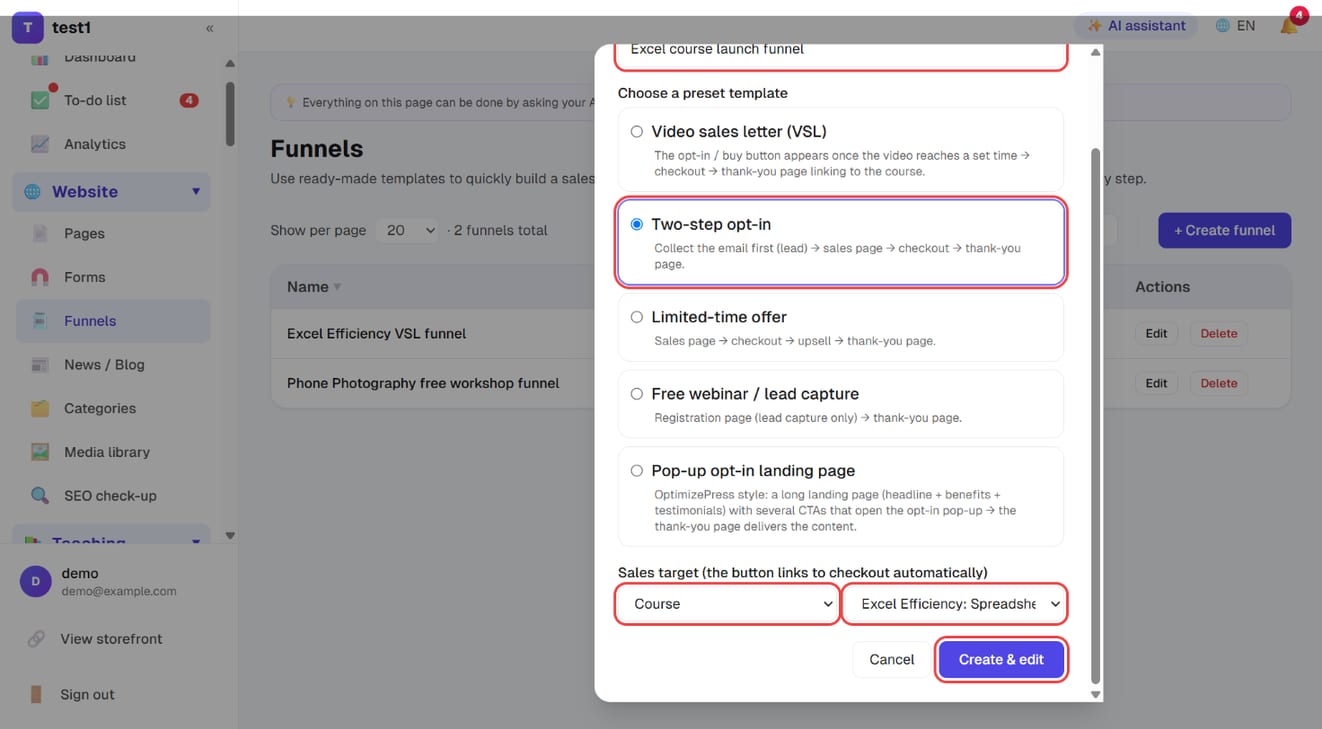
Enter a funnel name, choose one of the five preset templates (see below), and pick the sales target — the course or product the checkout button links to. Click "Create & edit".
Step 3: Set it live
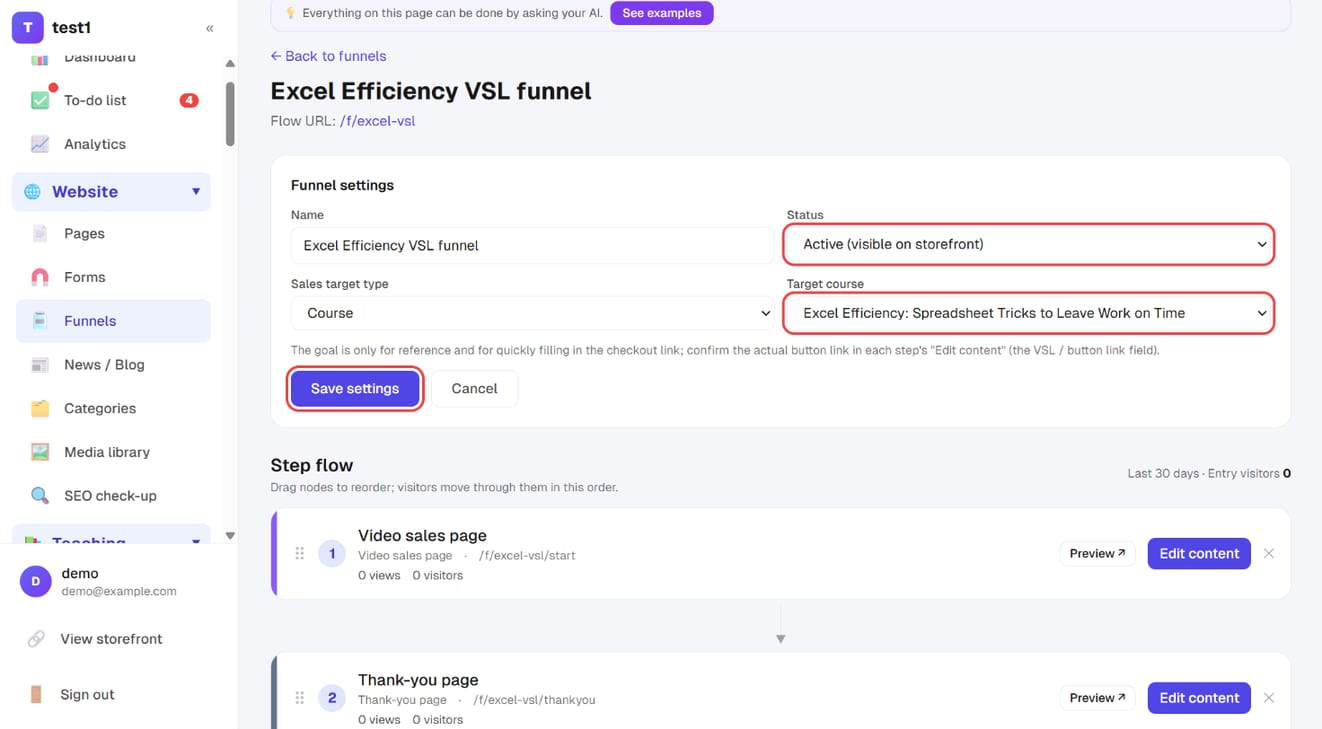
Under "Funnel settings", change Status to "Active (visible on storefront)", confirm the target course, and click "Save settings". A draft funnel can't be visited.
Step 4: Edit each step's content
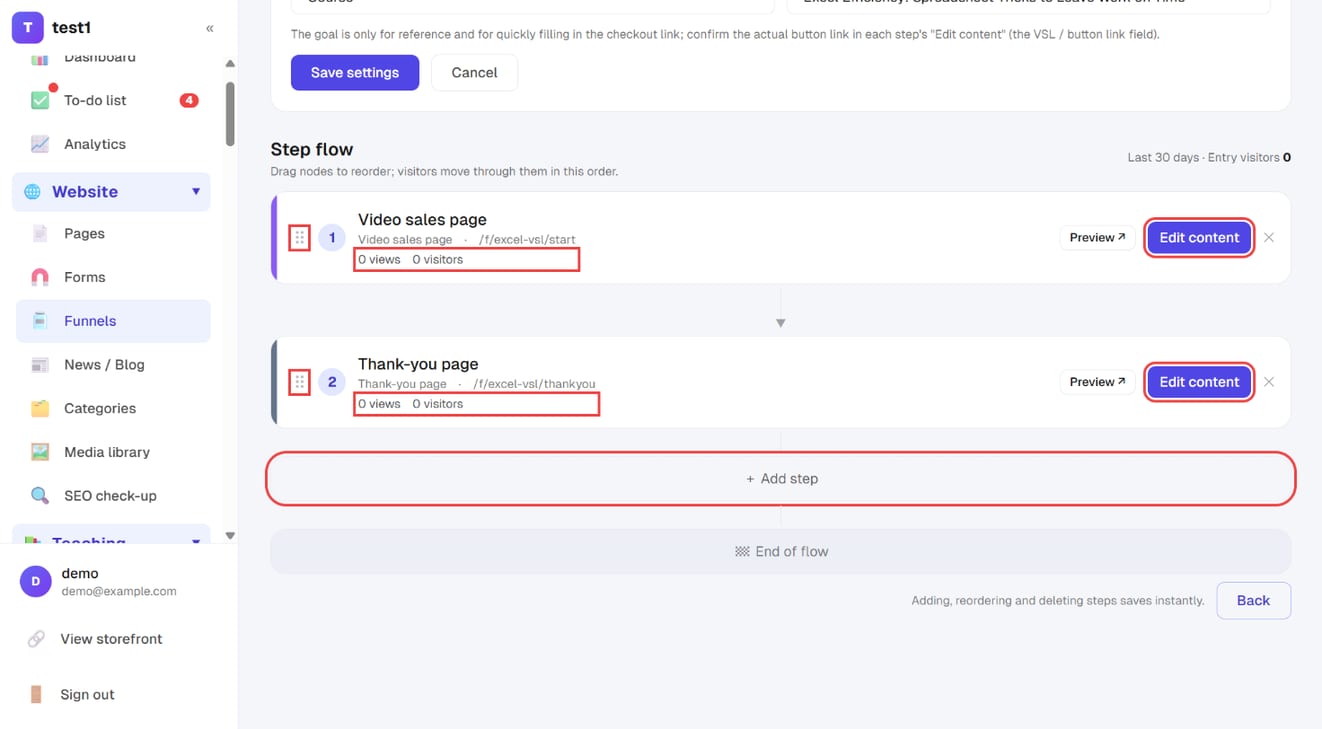
Under "Step flow", drag the ⠿ handle to reorder steps; each step shows its views and visitors. Click "Edit content" to open that step in the page editor, or "+ Add step" for another page. Adding, reordering and deleting steps saves instantly.
Five templates
Pick a template when you create the funnel and the whole set of steps is built for you. You can add or remove steps afterwards:
| Template | Flow |
|---|---|
| Video sales letter (VSL) | Buy button appears once the video reaches a set time → checkout → thank you |
| Two-step opt-in | Collect the email first → sales page → checkout → thank you |
| Limited-time offer | Sales page → checkout → upsell → thank you |
| Free webinar / lead capture | Registration page → thank you |
| Pop-up opt-in landing page | Long landing page with several CTAs opening an opt-in pop-up → thank-you page delivers the content |
Steps
There are seven step types: landing page, video sales page, opt-in, sales page, checkout, upsell, thank you.
- Drag to reorder
- Each step's content is edited in the page builder — the same blocks as any other page
- You must keep at least one step
Sales goal
When creating a funnel you can pick a course or product as its goal. Buttons in the steps can then link straight to the right checkout without you pasting URLs.
Blocks worth knowing
These come up constantly inside funnel steps:
- VSL video: the buy button only appears once the video reaches the timestamp you set
- Countdown timer: either a fixed deadline, or one that starts when each visitor first sees it
- Lead capture: an email joins your list with a tag, then moves them to the next step
- One-click upsell: charges the card the student saved at their last checkout, with no card entry
One-click upsell is Stripe only. If any condition isn't met (not enabled, not signed in, no saved card, already owns the course) it falls back to a normal checkout link — you never get a dead button.
Analytics
The funnel canvas shows views and visitors for each step, so you can see exactly where people drop off.
When one step is losing people, rewriting that step's headline and first screen is usually far more effective than rebuilding the whole funnel.
FAQ
How is a funnel page different from a normal page? The content editor is identical. Funnels add ordering, per-step conversion figures, and buttons that automatically link to the next step.
Can I run only a funnel, without a real homepage? Yes. Funnel URLs stand alone and don't need to be linked from your menu.
Do funnels need publishing? Yes. While the status is Draft the pages aren't visible; switch it to Active to go live.
What happens when the countdown hits zero? Four options: keep showing 00, hide the timer entirely, show an expired message, or redirect somewhere else.