
Bookings & Appointments
Let visitors book your free time like Calendly — free or paid, with automatic reminders.
Marketing → Bookings. Create booking types, set your weekly availability, and let visitors pick a slot themselves instead of trading emails about times.
Set up bookings, step by step
Step 1: Open Bookings
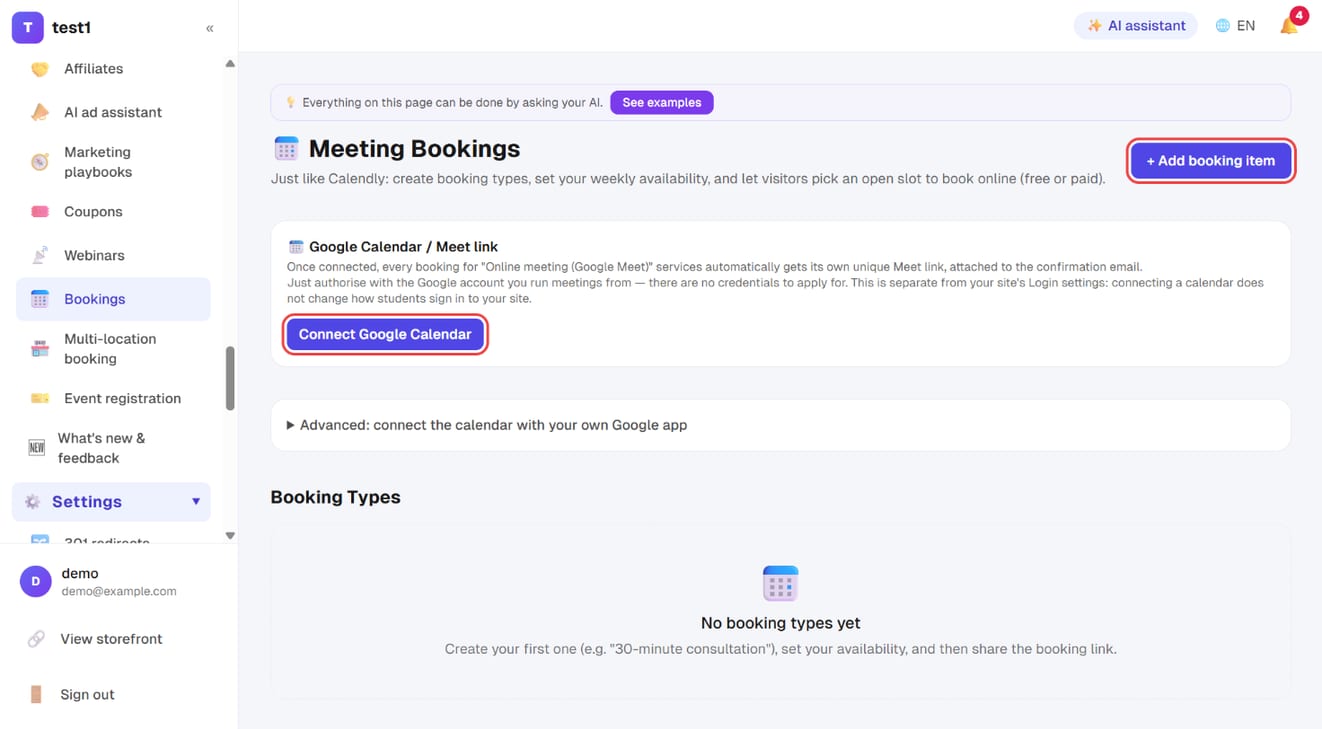
In the left menu, click "Marketing → Bookings". To give every Google Meet booking its own meeting link automatically, click "Connect Google Calendar" first (just authorise the Google account you run meetings from). Then click "+ Add booking item".
Step 2: Name it and create it
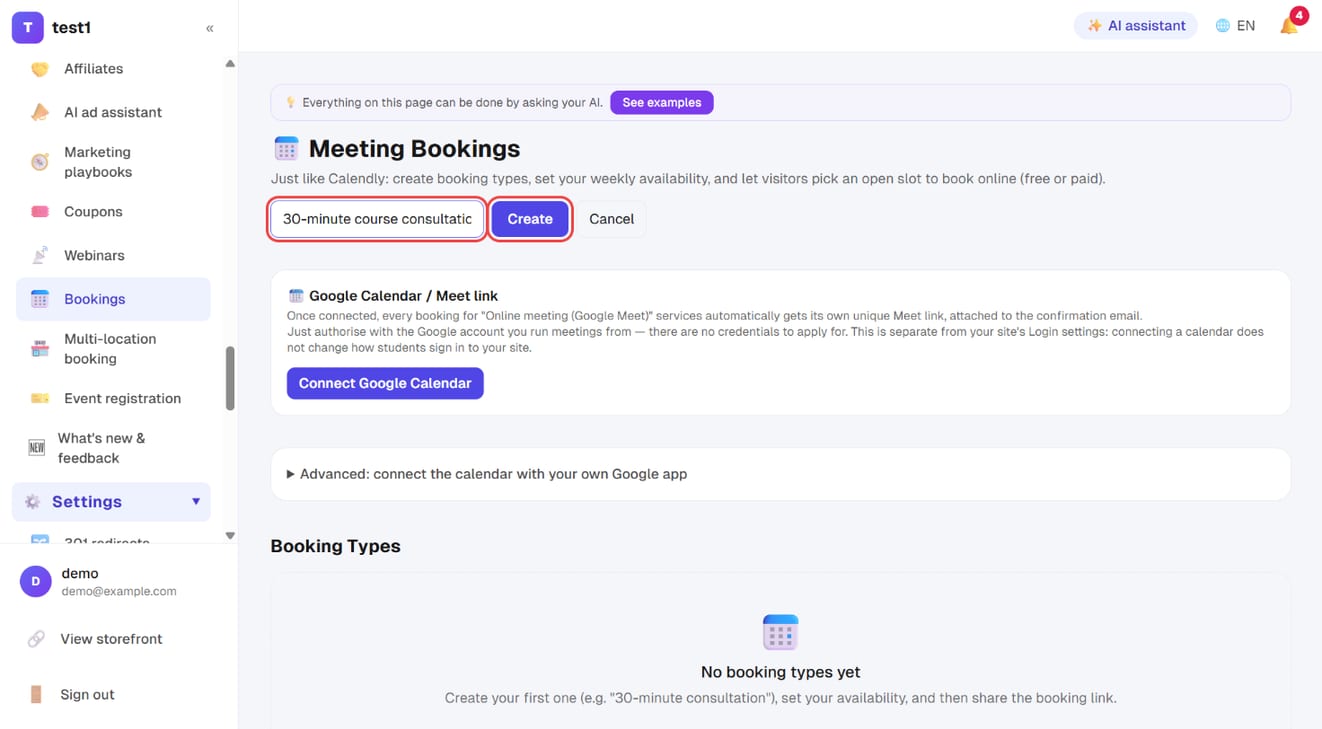
Type a name, e.g. "30-minute course consultation", and click "Create". You land on its edit page.
Step 3: Basic settings
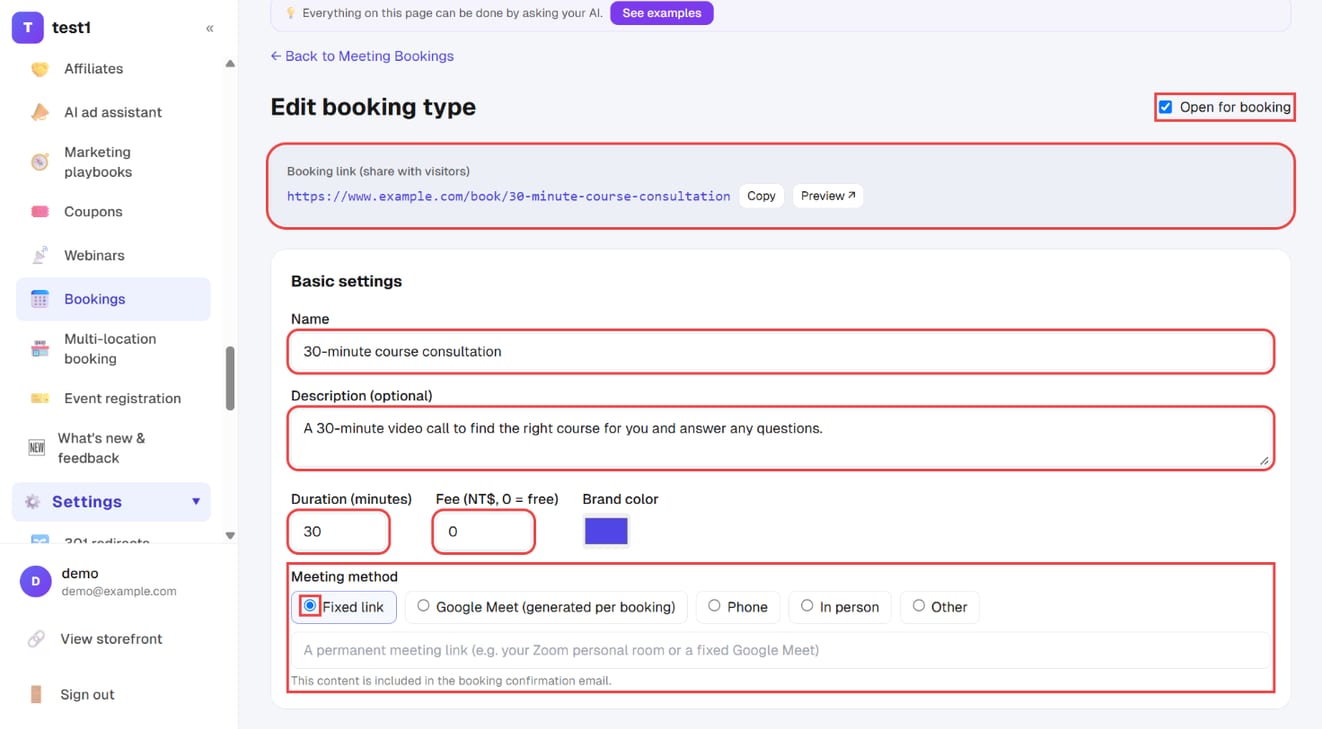
- Open for booking (top right): untick to pause new bookings
- Booking link: the URL to share with visitors — "Copy" or "Preview"
- Name, Description, Duration (minutes) and Fee (0 = free)
- Meeting method: a fixed link, Google Meet (generated per booking), phone, in person, or other
Step 4: Weekly availability
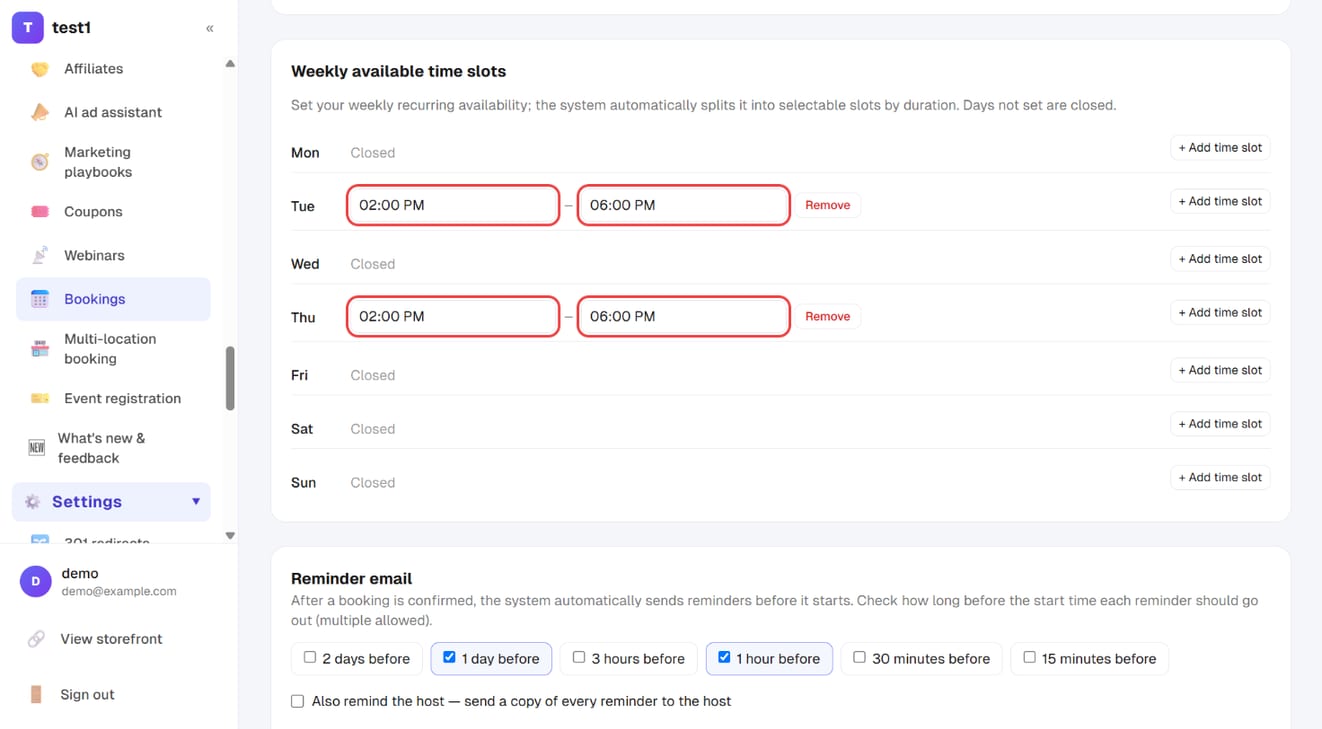
Under "Weekly available time slots", click "+ Add time slot" on each day you take bookings and set the start and end time — e.g. Tuesday and Thursday 2 PM–6 PM. Days without slots are closed; the system splits each window into bookable slots by the duration.
Step 5: Reminders and limits, then save
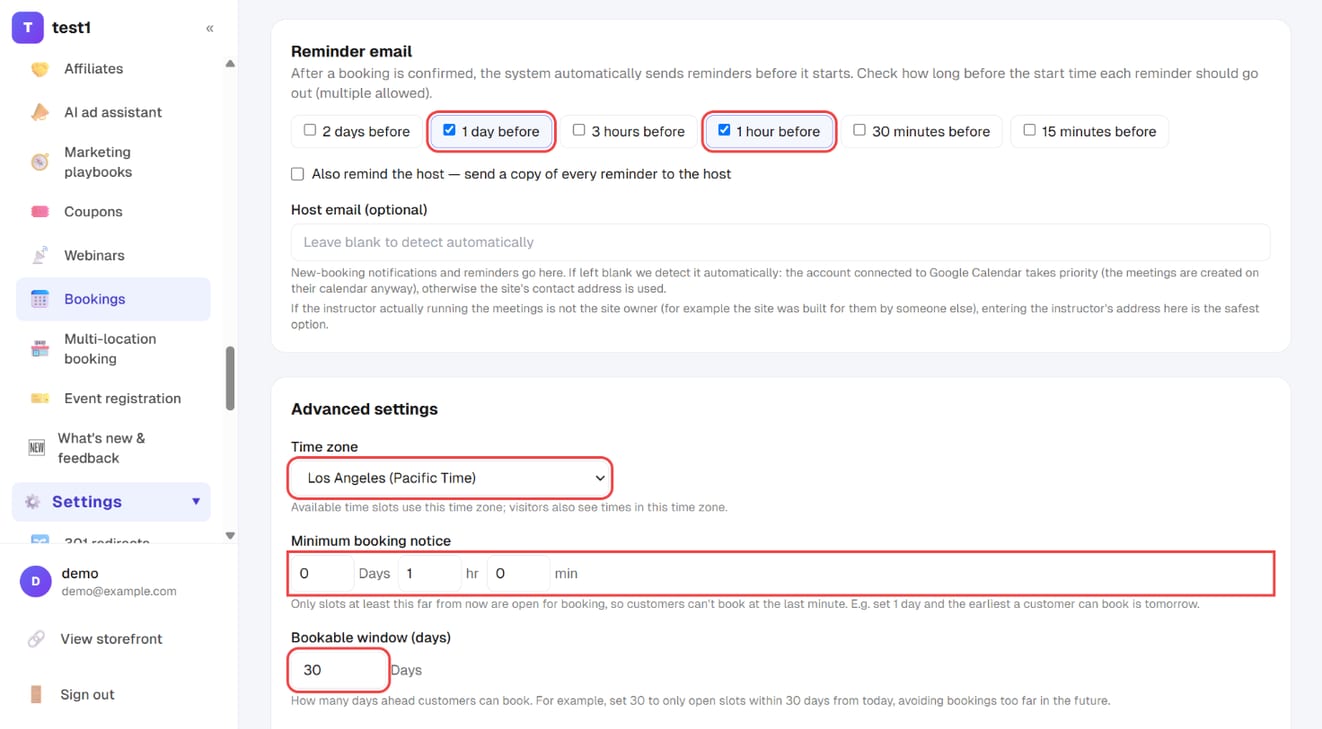
- Reminder email: tick when reminders go out (e.g. 1 day and 1 hour before)
- Advanced settings: time zone, minimum booking notice, bookable window (days) and buffer time between meetings
Click "Save" at the bottom.
Booking types
A type is one kind of meeting you offer ("30-minute intro call", "60-minute coaching session"). Each has its own:
- Duration and price (0 = free)
- Location: a fixed meeting link, Google Meet (generated per booking), phone, a physical address, or something custom
- Time zone
- Colour (for your own dashboard)
Availability
Set your availability per weekday (e.g. Tuesday and Thursday, 14:00–18:00). The system slices it into bookable slots based on the duration.
Four settings that protect your calendar
| Setting | What it does |
|---|---|
| Buffer before / after | Leaves minutes around each booking so you're never back-to-back |
| Minimum notice | Blocks bookings within the next N hours |
| Maximum days ahead | Stops people booking three months out |
| Slot interval | Offers a start time every 15 or 30 minutes |
Reminders
Reminder emails are sent automatically once a booking is confirmed. Tick which ones you want (2 days / 1 day / 3 hours / 1 hour / 30 minutes / 15 minutes before), and optionally copy yourself.
Tick nothing and no reminders are sent.
What the visitor does
Share the booking page URL. They pick a slot, fill in their details, and pay if the type has a price.
The confirmation email includes a self-service management link so they can cancel or reschedule themselves rather than emailing you.
FAQ
Can two people book the same slot? No. Once a slot is taken it disappears from the available list.
What if someone doesn't complete payment for a paid booking? Unpaid bookings are held briefly and then released automatically, so the slot isn't blocked.
Can I connect my Google Calendar? Yes. On the Bookings page click "Connect Google Calendar" and approve with the Google account you run meetings from — no credentials to apply for. Once connected, choose the Google Meet location type and each booking gets its own meeting link automatically.
This is separate from your site's Login settings: connecting a calendar only lets the system create meetings on your behalf, it does not change how students sign in to your site.
If a client cancels, does the slot come back? Yes — cancelling reopens that slot for someone else.