
Site Appearance & Menus
Change your accent color and fonts, edit the front-end menu, and build custom pages with the page builder.
Adjust your site's look, step by step
Step 1: Pick the primary color, fonts and font sizes
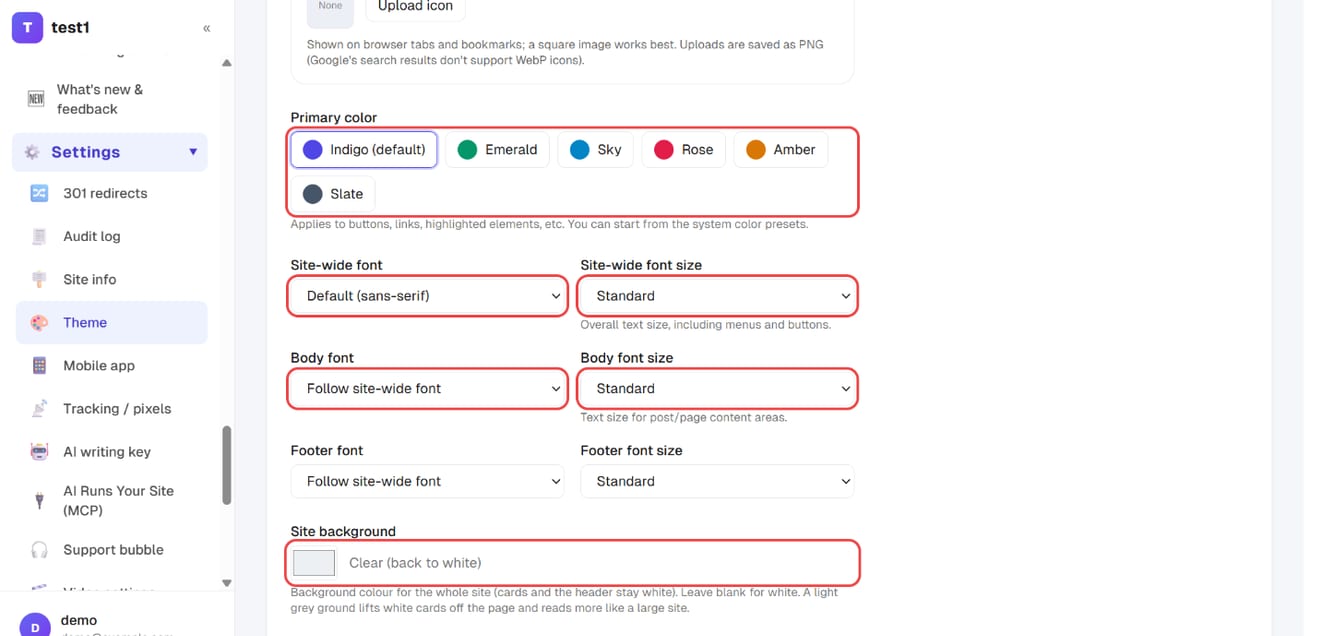
In the left menu, click "Settings → Theme". Besides the site logo and browser icon (favicon), you can set:
- Primary color: applied to buttons, links and emphasized text — start from one of the presets
- Site-wide font / font size: affects text across the whole site, including menus and buttons
- Body font / font size: only the text inside posts and pages
- Site background: leave it white, or pick a light grey so white cards stand out
Step 2: Adjust the header menu and elements, then save
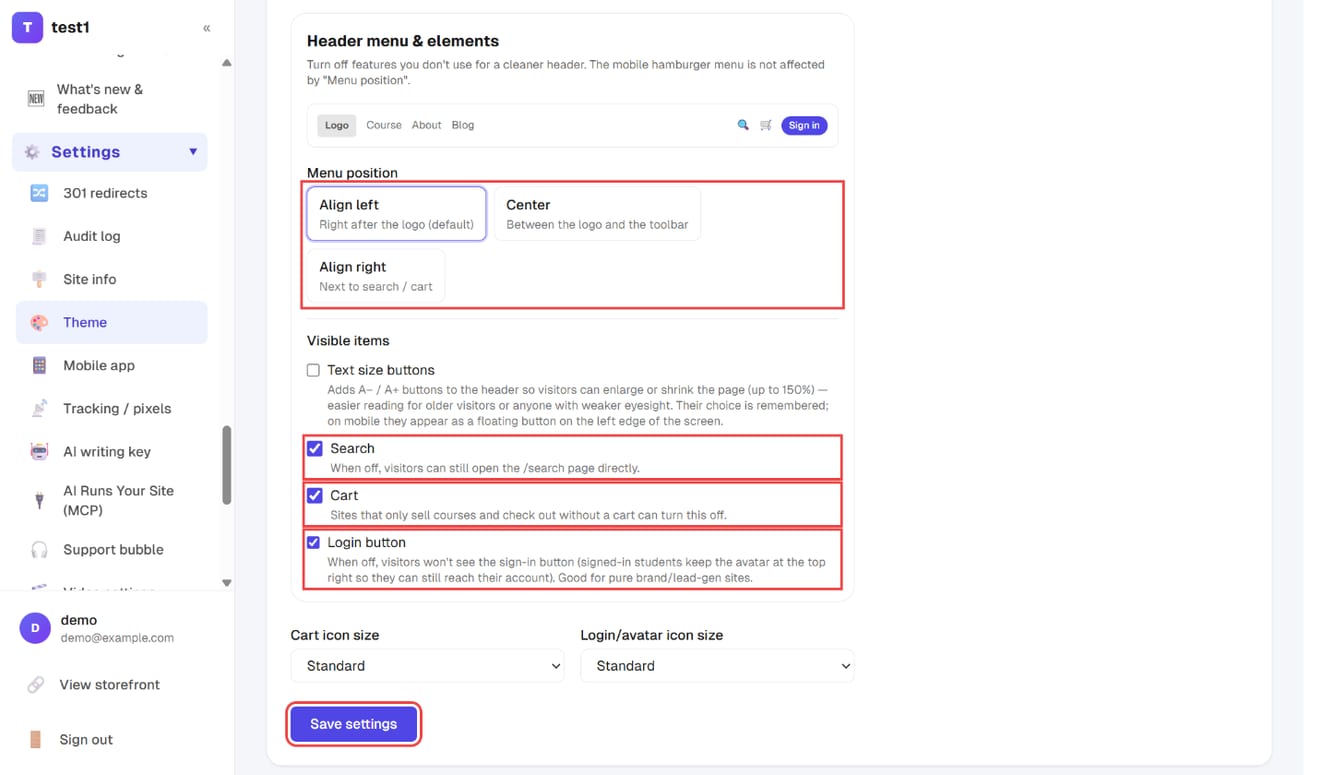
Further down the same page, "Header menu & elements" sets the Menu position (left, center or right) and which items show in the header (text size buttons, search, cart, login button). Click "Save settings".
Changes reach the storefront within about 5 minutes — no need to republish.
Step 3: Manage the menu from the Pages list
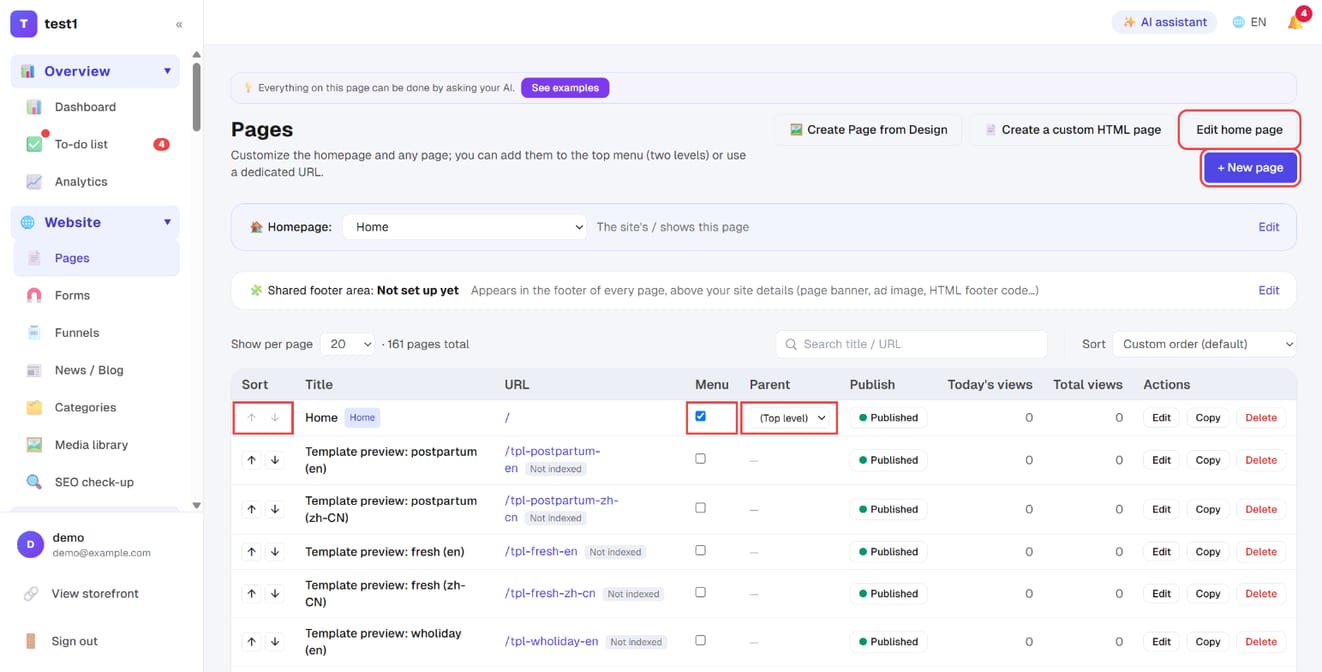
The top menu is managed in "Website → Pages": tick "Menu" to include a page, pick a "Parent" for a two-level (dropdown) menu, and use the arrows under "Sort" to reorder. "+ New page" and "Edit home page" are at the top right.
Step 4: Add a page (or just a menu link)
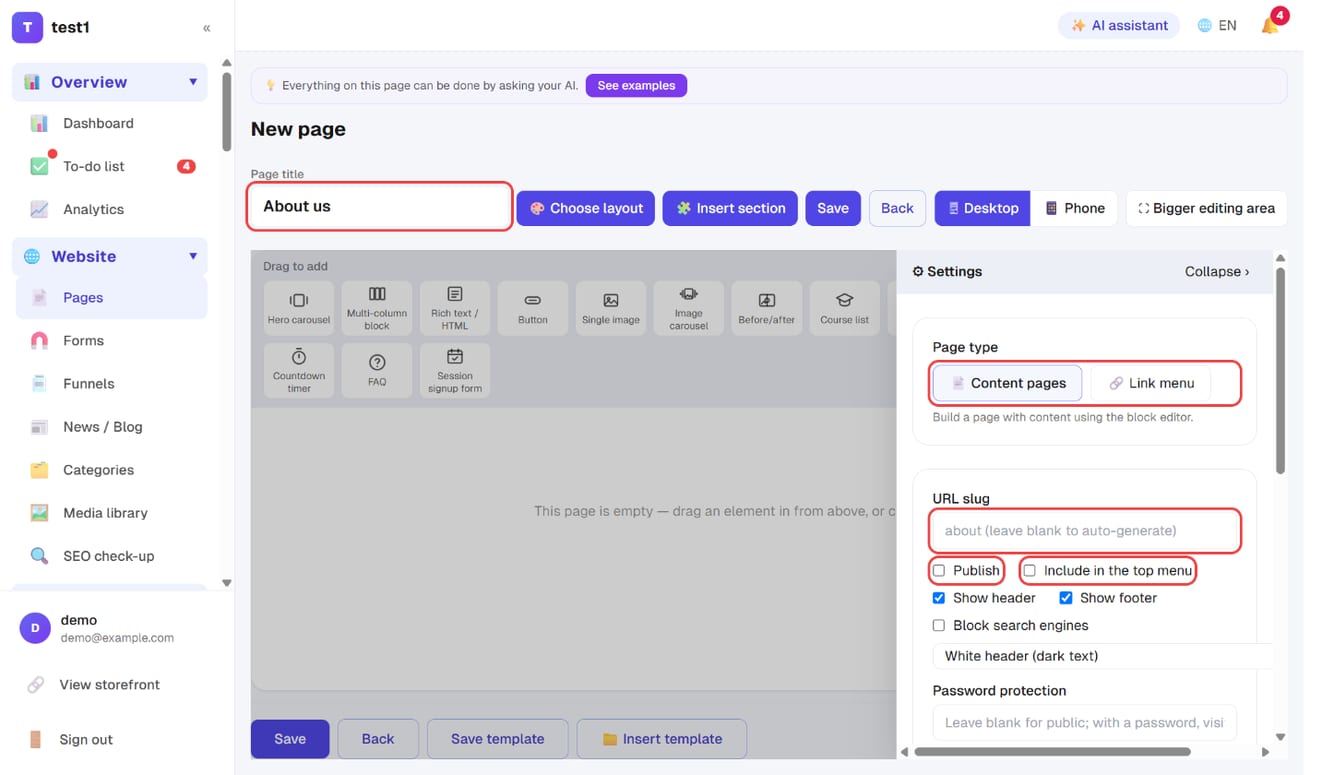
Click "+ New page", enter the Page title, and open "⚙ Settings" on the right: choose the Page type (Content pages for a page built with blocks, or Link menu for a menu item that points to an external URL or a path such as /shop), set the URL slug, and tick Publish and Include in the top menu.
Step 5: Check your site's time zone
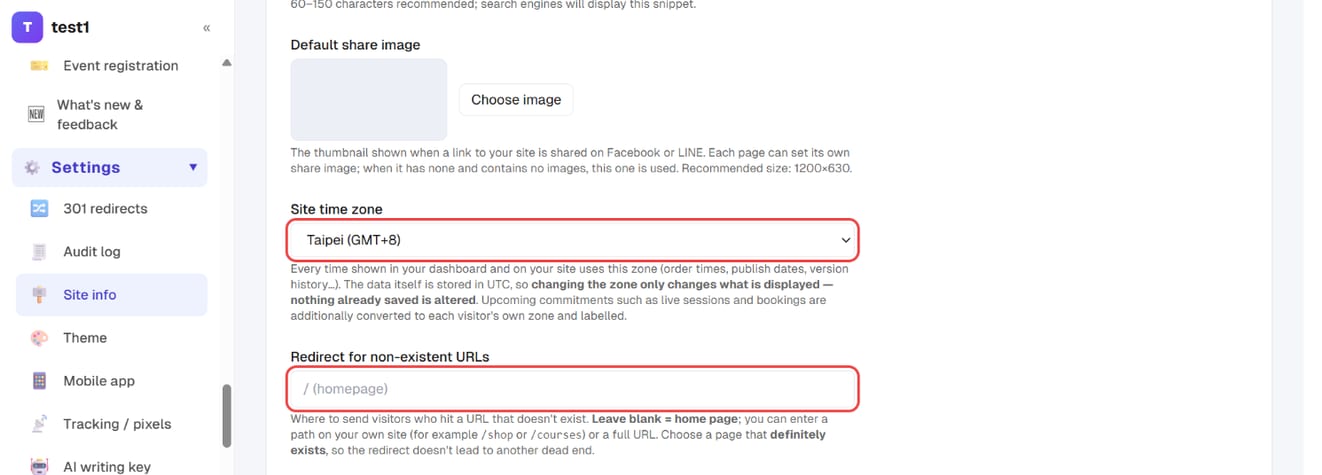
In the left menu, click "Settings → Site info" and check Site time zone (details below). The Redirect for non-existent URLs just below decides where visitors land when they hit a URL that doesn't exist.
Custom pages
Website → Pages lets you build any page (About Us, Contact, Event Registration…).
Pages are made of blocks, and each block is configured independently:
| Block | Purpose |
|---|---|
| Text & image | General content, with a full editor |
| Hero carousel | Above-the-fold banner + tagline |
| Course list | Pick which courses to showcase, set columns per row |
| Product list | Same as above, for physical products |
| Button | Links to checkout, an external URL, or a form |
| VSL video | The buy button only appears once the video reaches a set timestamp |
| Lead capture | An embedded form; submissions join your newsletter list |
Remember to save the columns-per-row setting
Course/product lists let you set how many columns show per row. After changing the dropdown you must click Save, otherwise it won't take effect — this is an easy step to miss.
Home page
The home page is also a page and can be fully customized. To restore the default layout, just delete all its blocks.
Full block reference, multi-column sections, templates, version history and pasting HTML → the page builder.
Site time zone
Pick your site's time zone under Settings → Site info (Taipei GMT+8 by default).
- Every time shown in your dashboard and on your site uses it: order times, publish dates, version history, when a student joined…
- The data itself is always stored in UTC, so changing the zone only changes what is displayed — nothing already saved is altered
- When your visitors are in another country:
- Things that already happened (publish dates, order times) are shown in your site's zone for everyone, so support conversations have a shared reference
- Upcoming commitments (launch countdowns, live sessions, booking slots) are converted to each visitor's own zone and labelled, so nobody misses them
Booking event types have their own separate time zone setting (for scheduling across countries); it is independent of the site zone.
Multiple languages
Settings → Language & translation lets you enable English and Simplified Chinese.
- Once enabled, a language switcher appears on the front end
- Every piece of system text can be rewritten yourself (similar to WordPress's Loco Translate)
- Only affects system interface text — your course titles and article content are not translated automatically
⚠️ Before disabling a language, make sure no visitors are currently using it — visitors already switched to that language will be automatically switched back to the default.
FAQ
Changed a color but the front end didn't update? The front end has a 5-minute cache. Wait a moment, or force a refresh (Ctrl+F5).
Want to put your own HTML on a page? The text & image block can switch to "source code" mode to paste HTML, and it also supports third-party embed codes (YouTube, Google Maps, forms).