
AI ad assistant
Describe your offer once and get ad headlines, body copy, keywords, audience ideas and a UTM-tagged link.
Marketing → AI ad assistant. It solves the half hour where the ad account is ready but every copy field is blank.
You need an AI writing key first (Settings → AI writing key). The cost runs through your own AI account; the platform adds nothing.
Generate ad creatives, step by step
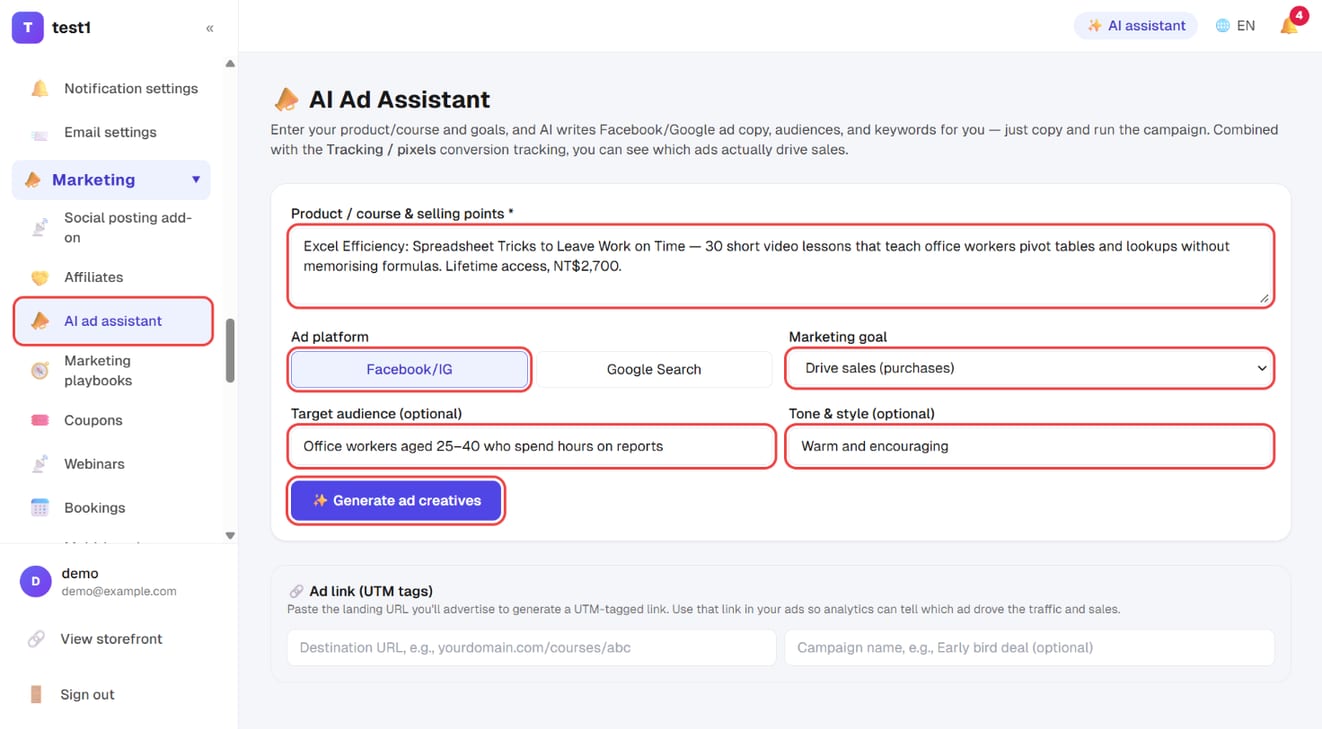
Step 1: Fill in your product, platform and goal, then click "Generate ad creatives"
In the left menu, click "Marketing → AI ad assistant", fill in the form as described in the table below and click "✨ Generate ad creatives". It takes about 10 seconds.
Step 2: Build a UTM-tagged ad link
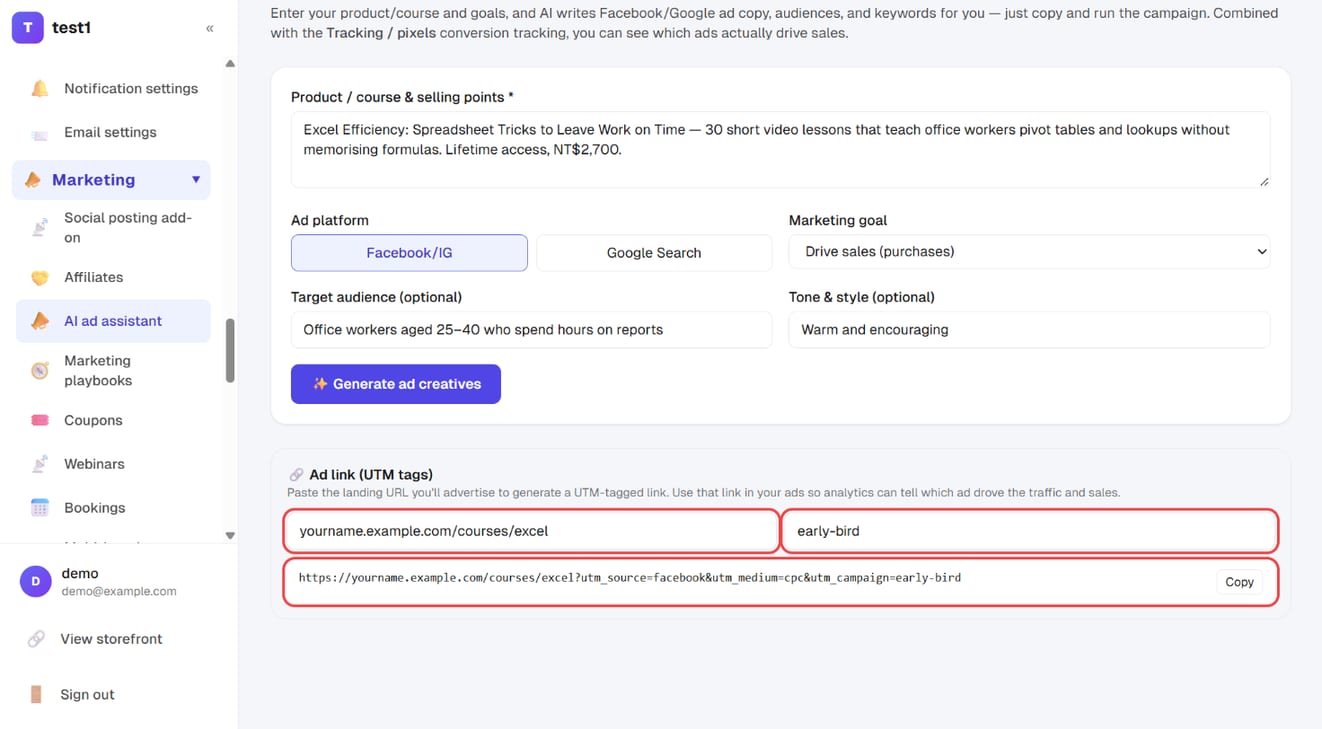
Further down the same page, under "🔗 Ad link (UTM tags)", paste your destination URL and enter a campaign name. The UTM-tagged URL appears below — click "Copy" and paste it into your ad's URL field.
What to fill in
| Field | How to write it |
|---|---|
| Your product / course and its selling points (required) | Be specific. "Teach office workers pivot tables in 30 days without writing formulas" beats "an Excel course" tenfold |
| Platform | Facebook/Instagram or Google Search. The copy structures differ, so the wrong pick gives odd output |
| Objective | Sales, lead capture, views/traffic, bookings, or brand awareness |
| Audience (optional) | e.g. office workers aged 25–40 considering a career change |
| Tone (optional) | e.g. warm and encouraging / authoritative / playful |
Press generate; it takes about 10 seconds.
What you get
- 📰 Headlines — several, for the headline field; pick a few to A/B test
- 📝 Primary text — for the main body field
- 🧩 Descriptions — Google Ads' description field
- 🔑 Keywords (Google Search)
- 🎯 Audience and interest suggestions (Meta)
- 💡 Campaign advice — budget and what to test
- 🔗 UTM-tagged link — enter your landing URL and campaign name to get a URL carrying
utm_source/utm_medium/utm_campaign
Everything has a copy button, ready to paste into the ad platform.
Don't skip the UTM link
Run your ads on the generated URL, not the plain one. The difference shows up afterwards:
- Your traffic stats can then separate visitors by campaign
- When two or three creatives run at once, you can tell which one is making money
Use campaign names you'll still understand in a month — early-bird, mar01-live.
Don't ship the output as-is
The AI gives you a first draft and a direction, not a finished ad. Before it goes live, do three things:
- Cut anything you wouldn't say out loud — the ads that work sound like an actual person
- Verify every number — AI will happily write "3,000 students already enrolled", which it has no way of knowing. Delete any figure that isn't real
- Check compliance — health claims, income guarantees and absolutes ("the best", "number one") are the usual reasons ads get rejected
Measurement needs tracking codes
The assistant writes copy; measuring whether it worked is a separate job — that's tracking codes and pixels. Without the Meta pixel and Conversions API, the ad platform never learns who bought, so targeting can't improve.
Recommended order: install tracking, confirm events arrive, then start spending.
FAQ
Nothing happens, or it asks me to set a key. Add your own AI key under Settings → AI writing key. It's the same key the blog tools use.
Can I edit the copy? You should. Treat it as a draft and rewrite until it sounds like you.
Can I generate several versions? Yes — rerun with a different tone or audience and you'll usually get a genuinely different angle.
Will Google Search ads exceed the character limits? Output follows the usual platform lengths, but check the counter when pasting — limits count differently across languages.
Does it know what's in my course? Not automatically. It knows exactly what you type into the selling-points field — which is why that field is worth two extra minutes.