
Group buy for courses
Offer "N people for one group price" on a course. The organiser pays once and members unlock the course with redemption codes — ideal for companies buying for staff or friends joining together.
Group buy lets a group get the same course for less: one organiser pays the group price, is enrolled themselves (optional), and the remaining seats become redemption codes emailed to them. Members open the redeem page, sign in and unlock the course — exactly like a regular buyer.
Three typical uses: a company buying for staff (HR organises and doesn't take the course), friends joining together for a discount, or an instructor running a "three for the price of two" promotion. Collecting money from members is between the organiser and the group; the system is not involved.
Set up group buy, step by step
Step 1: Enable group buy on the course
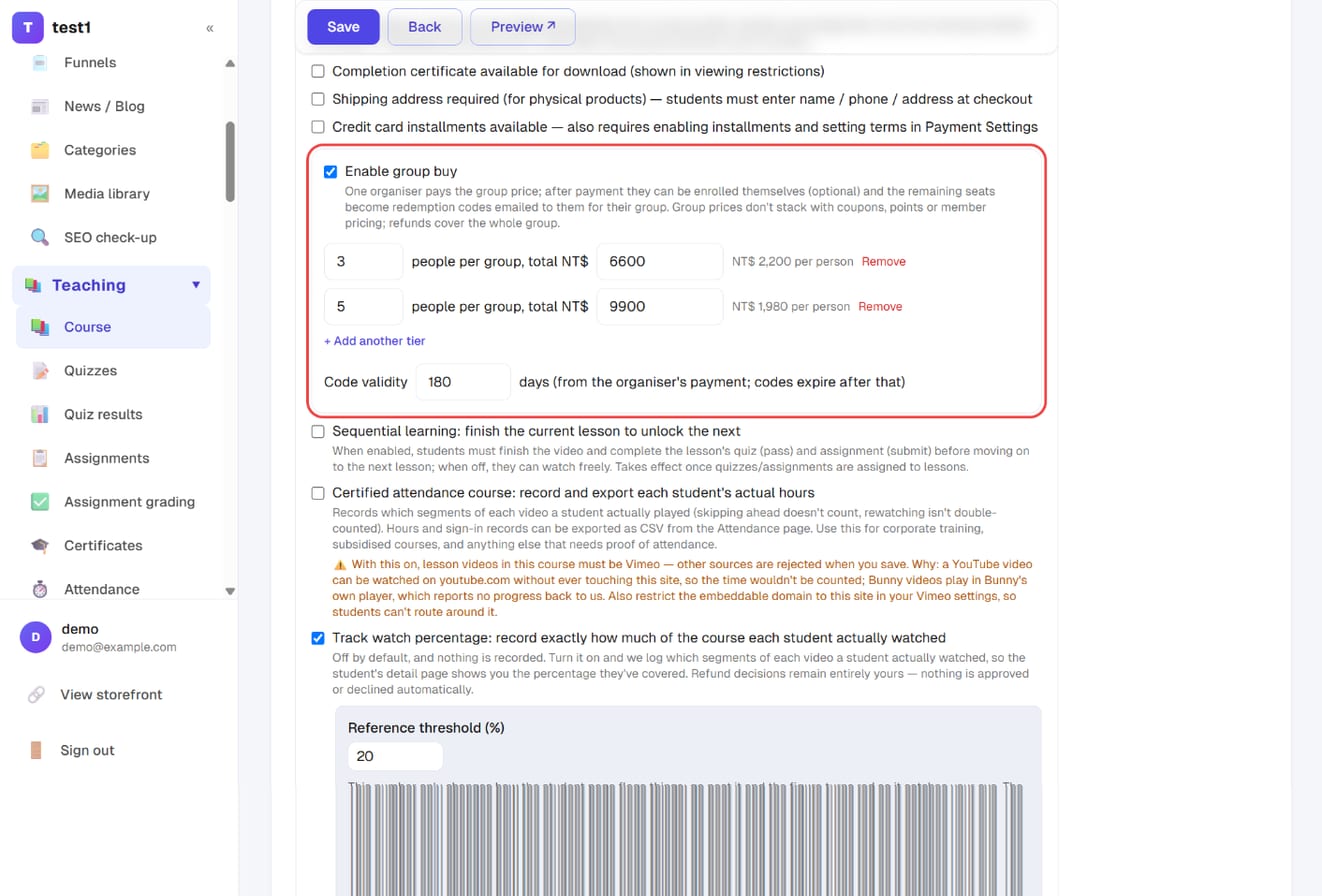
In the left menu go to Courses & teaching → Courses, press Edit on the course, scroll to the pricing section and tick Enable group buy:
- People per group, group total: one row per tier, e.g. "3 people, NT$ 6,600". Press "+ Add another tier" for up to 5 tiers; the per-person price is calculated for you
- Code validity: counted from the organiser's payment, 180 days by default; codes expire after that
Press Save at the top. Only one-time-payment paid courses have this option — free and subscription courses don't.
Step 2: The course page shows "Cheaper as a group"
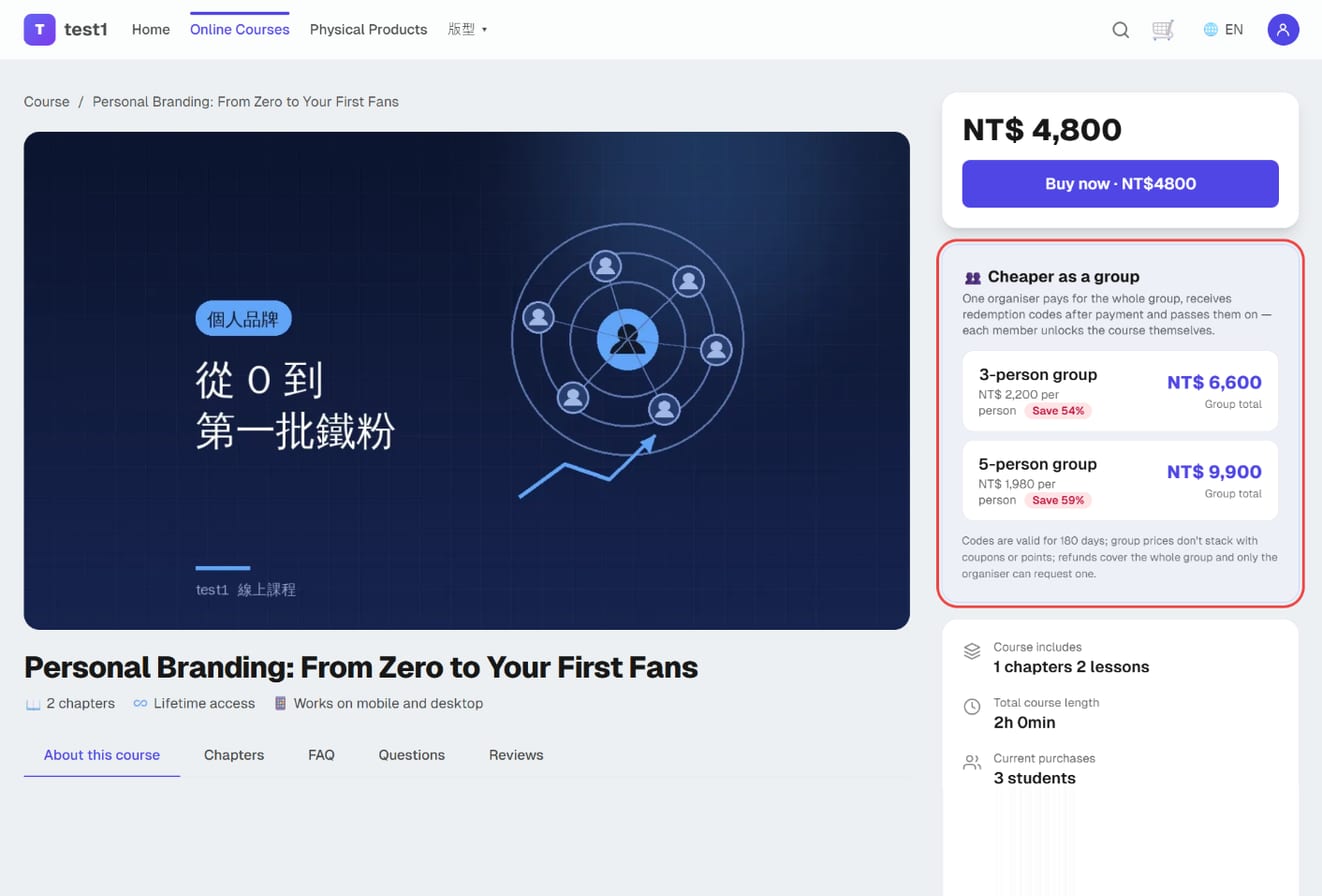
After saving, a card appears below the buy box on the course page with one row per tier: group size, group total, price per person and how much is saved versus buying alone. Clicking a row starts the group checkout.
Step 3: The organiser checks out
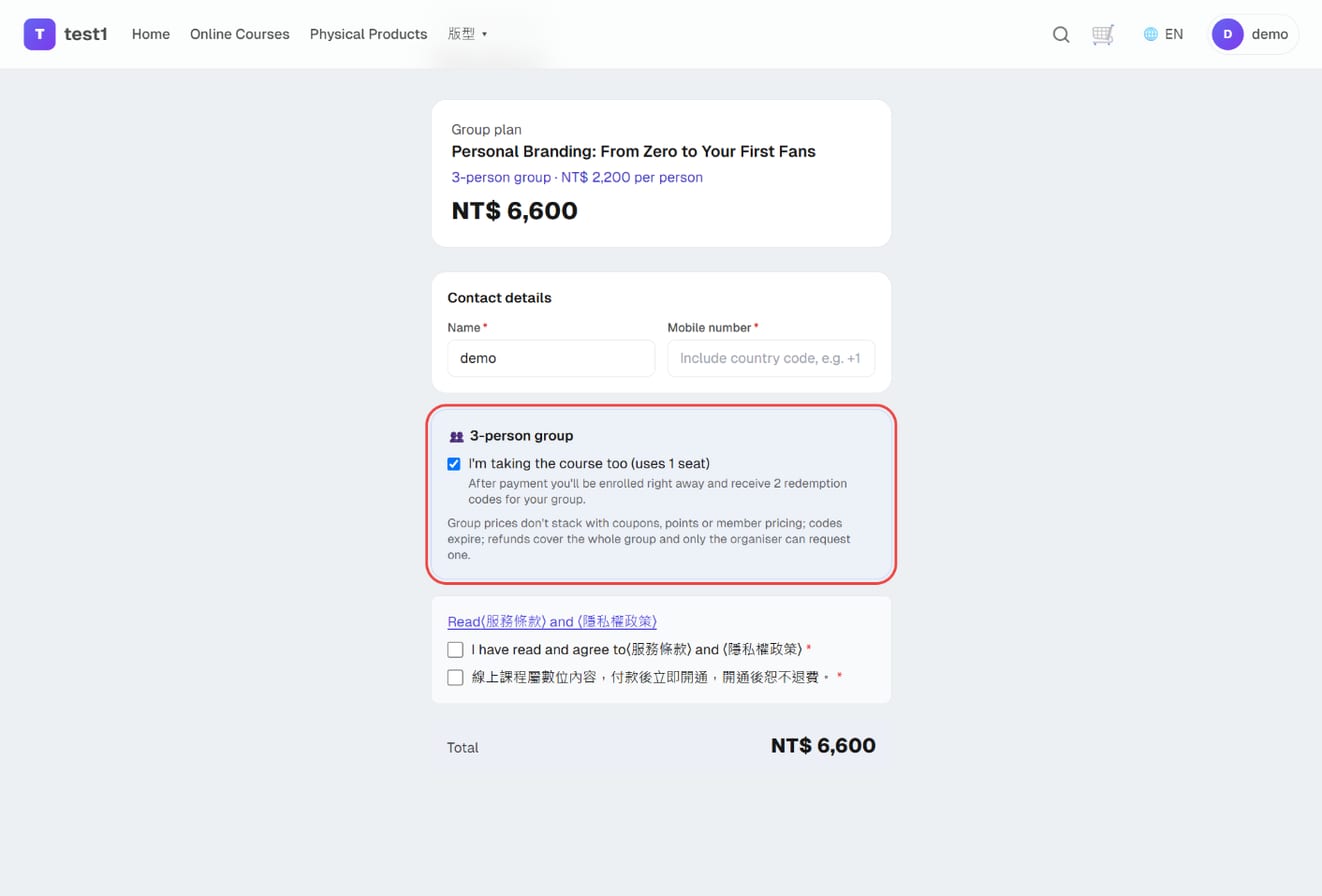
The checkout page is labelled "Group plan · 3-person group · NT$ 2,200 per person" and the amount is the group total. One extra option appears:
- I'm taking the course too (uses 1 seat): ticked by default. Ticked = the organiser is enrolled after payment and receives 2 codes; unticked = 3 codes, all for members (what an HR contact buying for staff wants)
- If the organiser already owns the course the option is hidden and every seat becomes a code
There are no coupon or points fields on a group checkout — the group price is final and member pricing doesn't apply either. Payment methods are the same as a normal checkout.
Step 4: Payment complete, codes sent
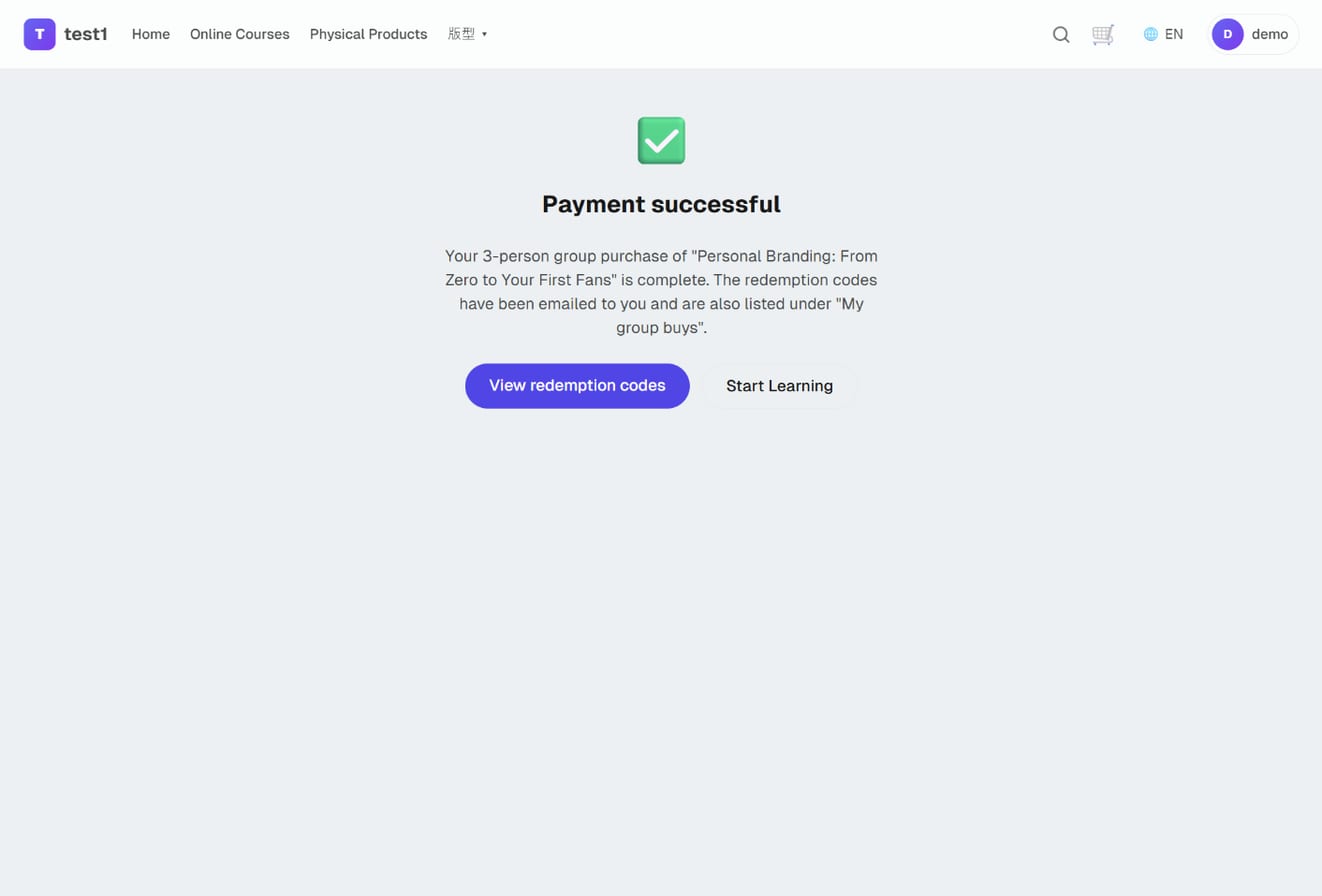
The success page tells the organiser the codes have been emailed. At the same time the system:
- Enrols the organiser (if ticked)
- Creates the codes and sends a "Group-buy redemption codes" email — one row per code with its redeem link and expiry
- Sends the usual purchase confirmation, notifies you of the new order and issues the e-invoice (item name marked "(3-person group)")
Step 5: The organiser sees the codes under "My group buys"
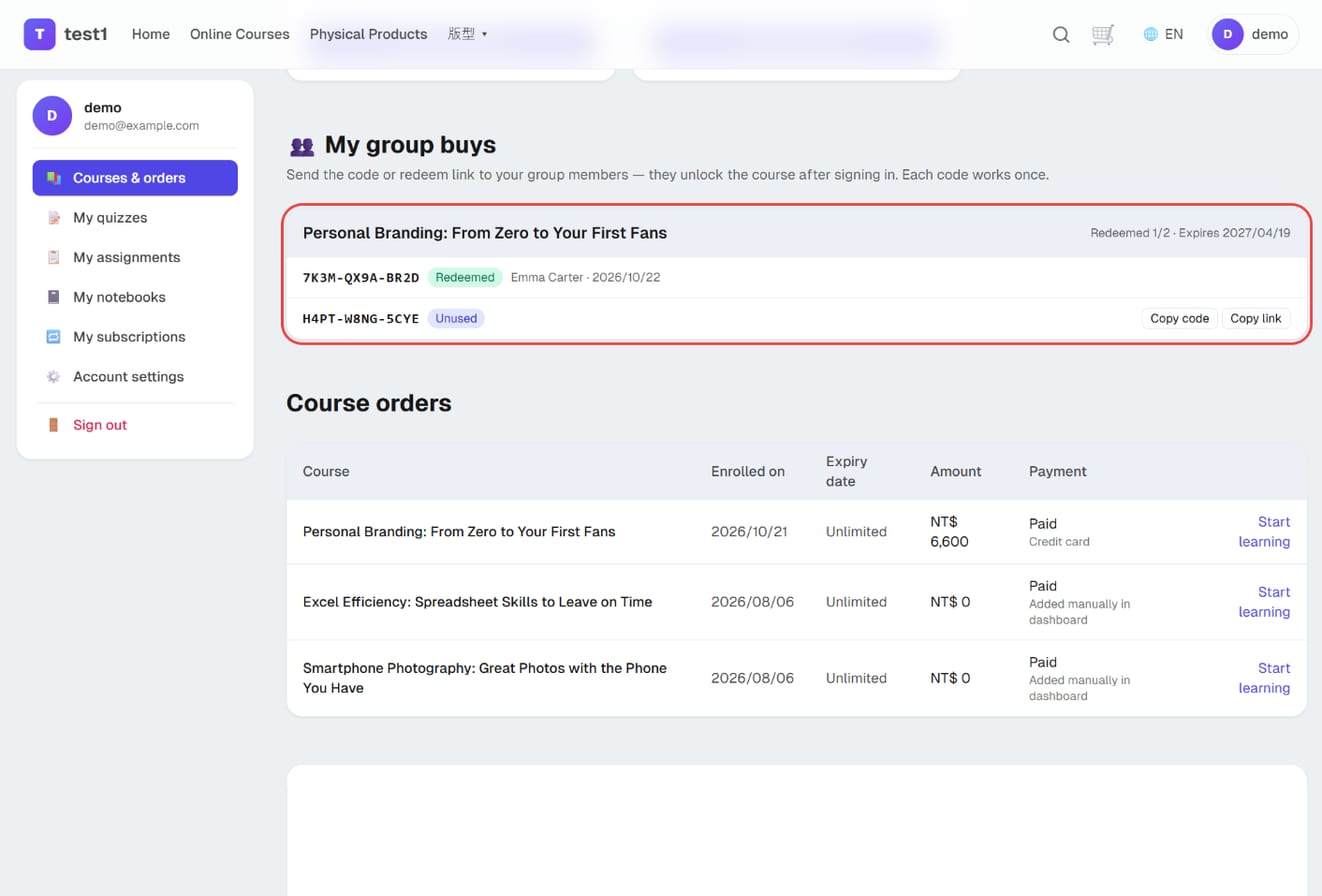
In the student dashboard, further down, My group buys lists each group order: the status of every code (unused / redeemed / expired / voided), who redeemed it and when, and Copy code / Copy link buttons next to unused codes. If the email went missing, this is where to look.
Step 6: Members redeem
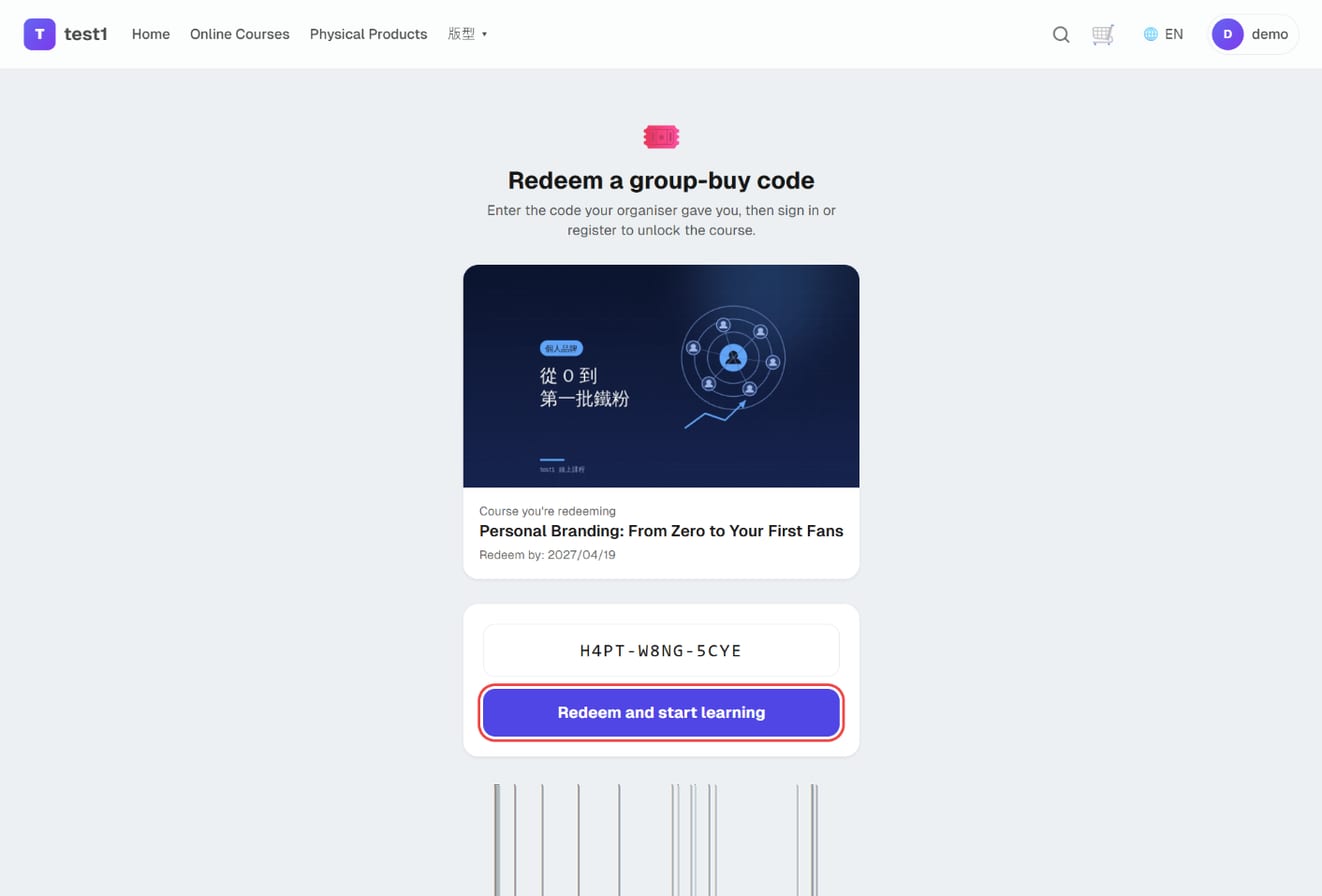
A member opens the redeem link (or goes to your domain /redeem and types the code). The page shows which course the code is for and its expiry; after signing in or registering they press Redeem and start learning and land in the course.
- Each code works once and is tied to that account
- A member who already owns the course is told so and the code is not consumed — they can pass it on
- Access period, certificates, quizzes and assignments work exactly as for any other student
Step 7: The order in your dashboard
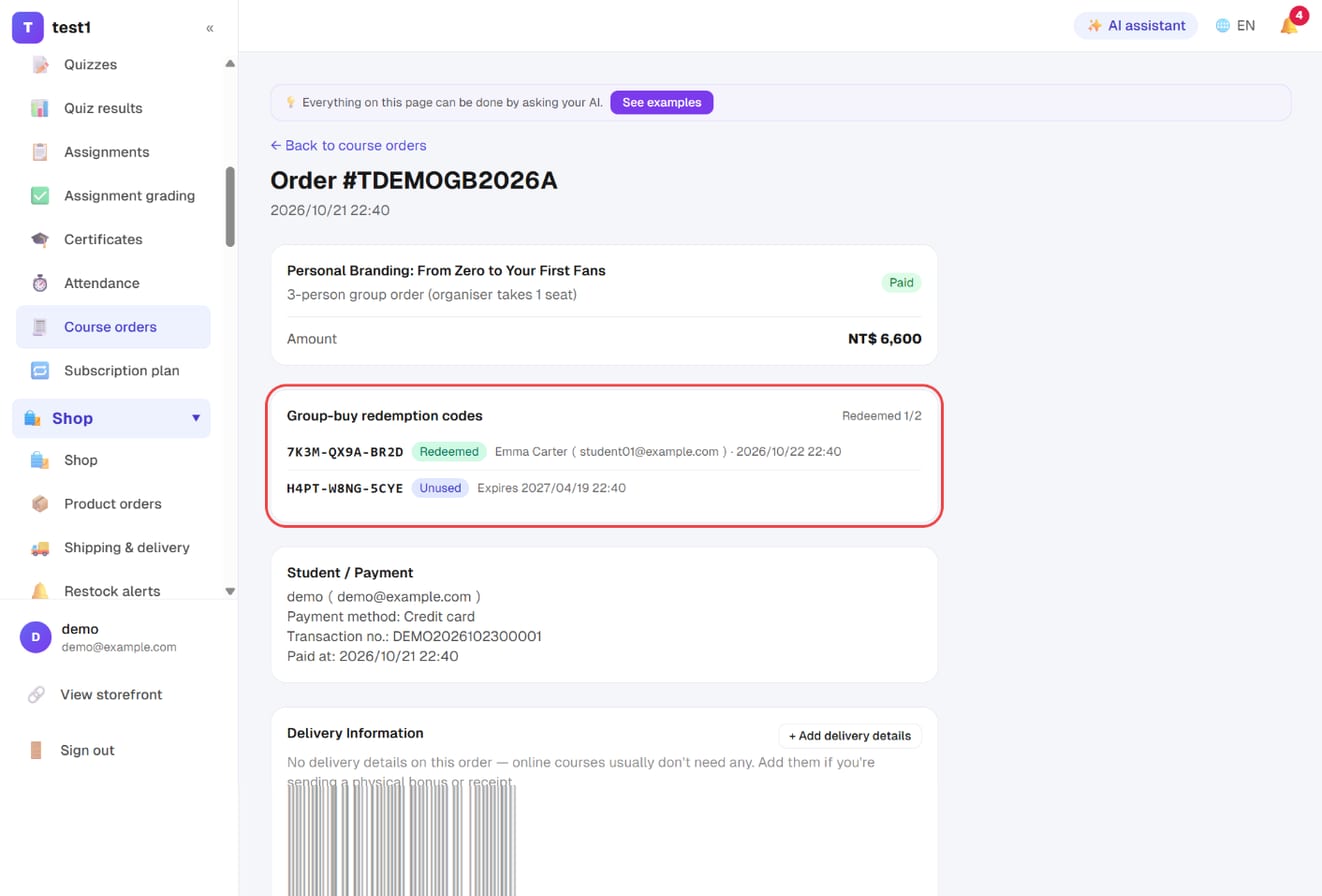
Under Selling → Course orders, open the order. The subtitle reads "3-person group order (organiser takes 1 seat)" and a Group-buy redemption codes block lists every code with its status, who redeemed it and when, and the expiry of unused codes — read them out when an organiser says the email never arrived.
Rules at a glance
| Item | Rule |
|---|---|
| Price | The group total is final: no coupons, points or member pricing |
| Seats | "I'm taking the course too" uses one seat and issues one fewer code; an organiser who already owns the course uses no seat |
| Code validity | From payment, 180 days by default (configurable per course) |
| Refunds | The whole group is refunded together and only the organiser can request it. Refunding the order voids unused codes and revokes redeemed members |
| Instructor commission | Calculated once on the order total, not per member |
| Student roster | Redeemed members appear in the course roster; their enrolment date is the redemption date |
FAQ
The organiser says the code email never arrived. Point them to "My group buys" in the student dashboard — codes and links are all there. You can also read the codes from the order page.
A member is told they already own the course. That code was not used; the organiser can give it to someone else.
Can I offer just one tier? Yes. You can also run it for a limited time — untick the option and save when the promotion ends; codes already issued stay valid until they expire.
Group registration for in-person classes or talks? That belongs to the Events add-on (spreadsheet upload, whole-group seat holds) and is separate from course group buy.