
301 redirects
Map old URLs to new pages: add them one by one or import in bulk, and know when to use 301 versus 302.
Settings → 301 redirects. When you move a site across, the old URLs don't disappear — they still rank in Google, they're still linked from other people's posts, they may even be printed on your business cards. Without redirects, all of that traffic hits a 404.
Add redirects, step by step
Step 1: Add one
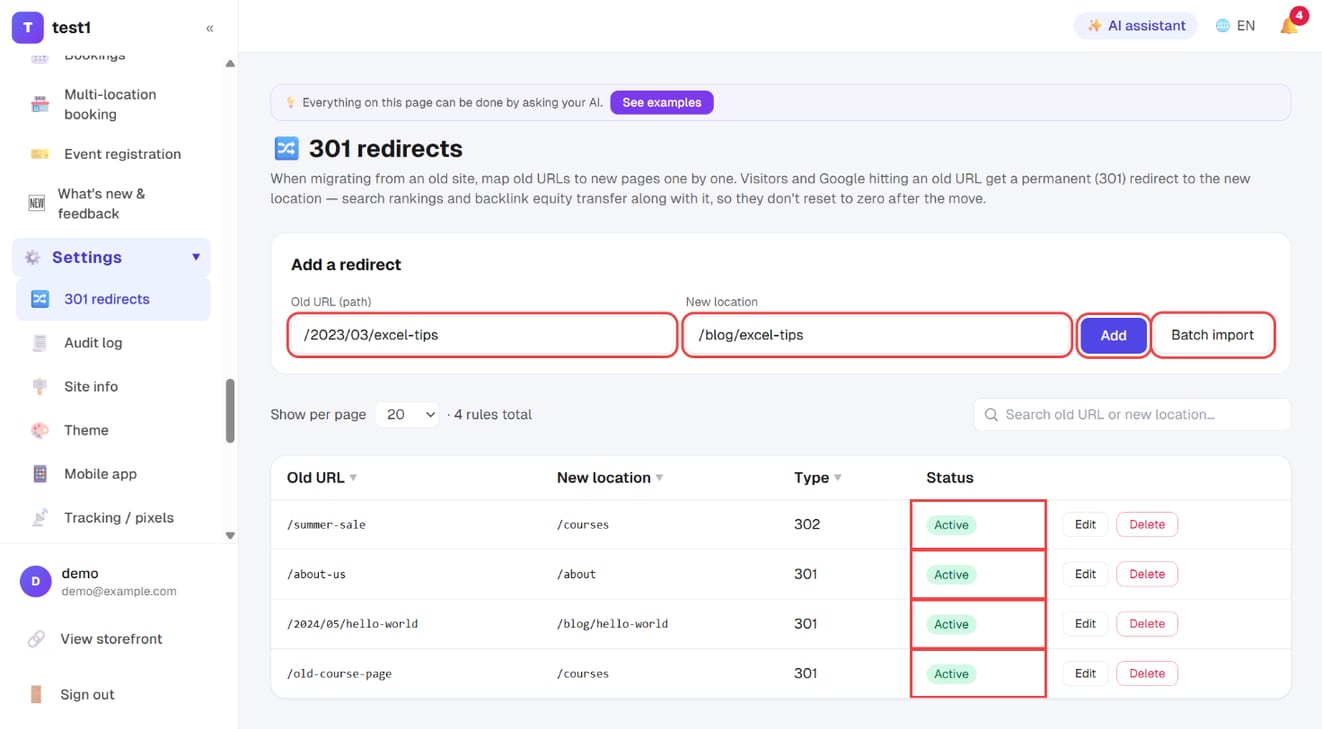
In the left menu, click "Settings → 301 redirects". Enter the Old URL (path) and the New location, then click "Add". The list below shows every rule with its type and status.
Step 2: Or import a whole list
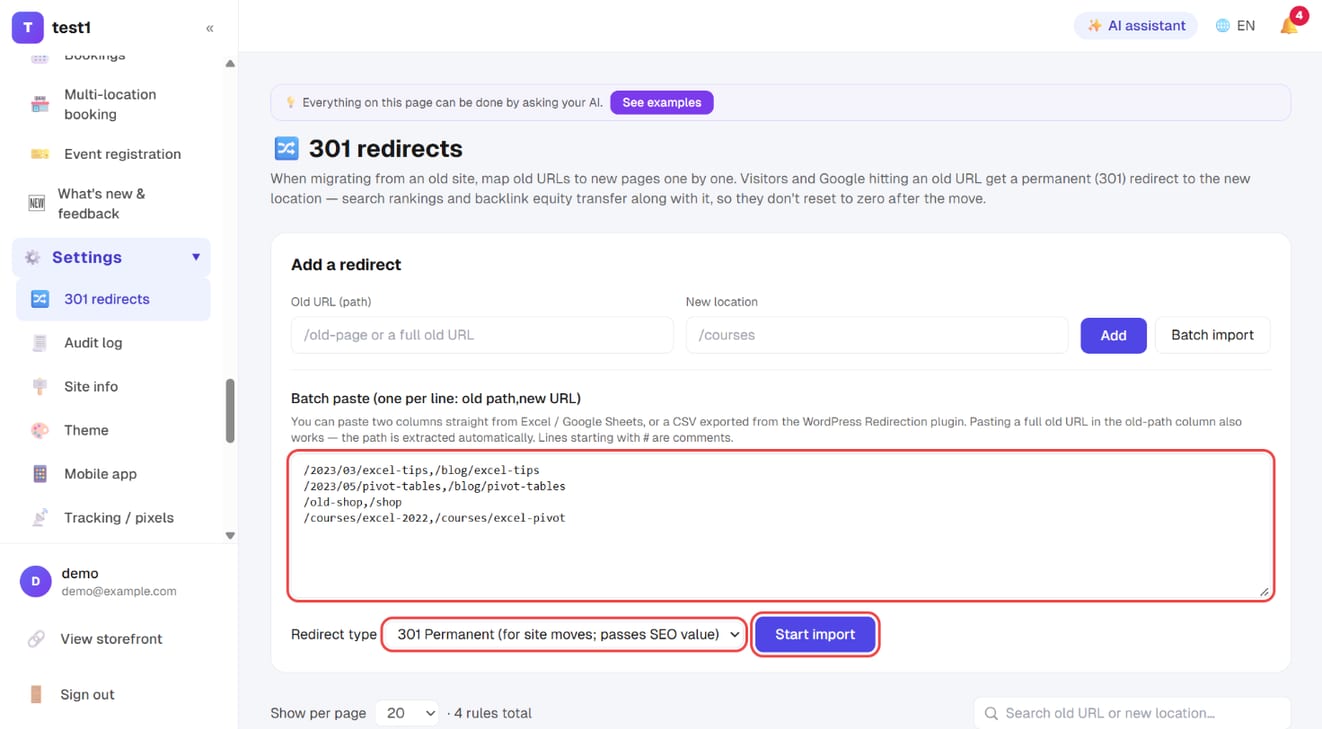
Click "Batch import" and paste one rule per line — old path,new URL (two columns from a spreadsheet, or a CSV exported from WordPress's Redirection plugin, both work). Choose the redirect type and click "Start import".
Adding one
- Old URL (path) — enter
/old-page; pasting the full old URL works too (only the path is used) - New location — an internal path (
/courses/abc) or a full URL - Type — see below
301 or 302?
| Type | When |
|---|---|
| 301 permanent | Moving, renaming, merging pages. Passes SEO authority on |
| 302 temporary | Sending traffic elsewhere for a campaign, then switching back. Passes nothing on |
When in doubt use 301 — nine times out of ten a move is permanent.
Bulk import
A site migration usually means dozens or hundreds of rules, and adding them one at a time is miserable. Use Bulk import and paste a mapping, one per line: old path, new URL
/old-course-page,/courses
/2024/05/hello-world,/blog/hello-world
https://old-site.com/about,/about
You'll get a report of how many were added, updated and skipped — including the line number and reason for each skip. Importing the same old path again updates its target rather than creating a duplicate.
Coming from WordPress? Start with Import from WordPress — it handles the post URLs, leaving only the odd stray page for this screen.
Working out what to redirect
Three sources, most to least precise:
- Google Search Console → Pages → Not found (404) — old URLs people are actually clicking
- The old site's sitemap.xml — pull every old URL and work through it
- Your own memory — URLs printed on cards, flyers and ad creative
Disable instead of delete
A rule can be switched to inactive rather than removed. When you're checking whether a redirect is causing a loop or landing in the wrong place, disabling it is safer than deleting — deleting means typing it all again.
FAQ
Will the old URL keep its ranking? A 301 passes authority to the new page, but not instantly — Google has to recrawl. Expect it to shift over a few weeks.
Can I redirect to a different website? Yes. Enter the full URL as the new location.
Do redirects affect students who already bought? No. Course access URLs are generated by the system and have nothing to do with this mapping table.
I created a loop (A→B, B→A). The browser will error out. Come back and disable or edit one of the two rules.
Do I need redirects when I move to a custom domain? No. The old subdomain is 301'd to your new domain automatically — see Custom domain.